Customer conversations are among the clearest sources of truth about how the customer experience is performing. They show when a process is confusing, when an agent needs more context, when a new product raises questions, and when something that looks fine on a dashboard is breaking down for customers.
In Q2, we focused on making that information easier to carry through an interaction, easier to act on, and easier to put to work across CX.
We shipped 10 releases across Level AI that make handoffs smoother, reduce repetitive QA work, and make customer insights easier to find, share, and act on. Together, they make the day-to-day work of running CX simpler.
Better AI conversations and smoother handoffs
A customer should not have to repeat their concern when a conversation moves from a Virtual Agent to a human. Agents should have the right knowledge available without extra setup work. Virtual Agents should pronounce the terms customers hear correctly.
This quarter, we focused on preserving that context and making the knowledge behind AI interactions easier to manage.
1. Contextual handoff from Virtual Agent to Agent Assist
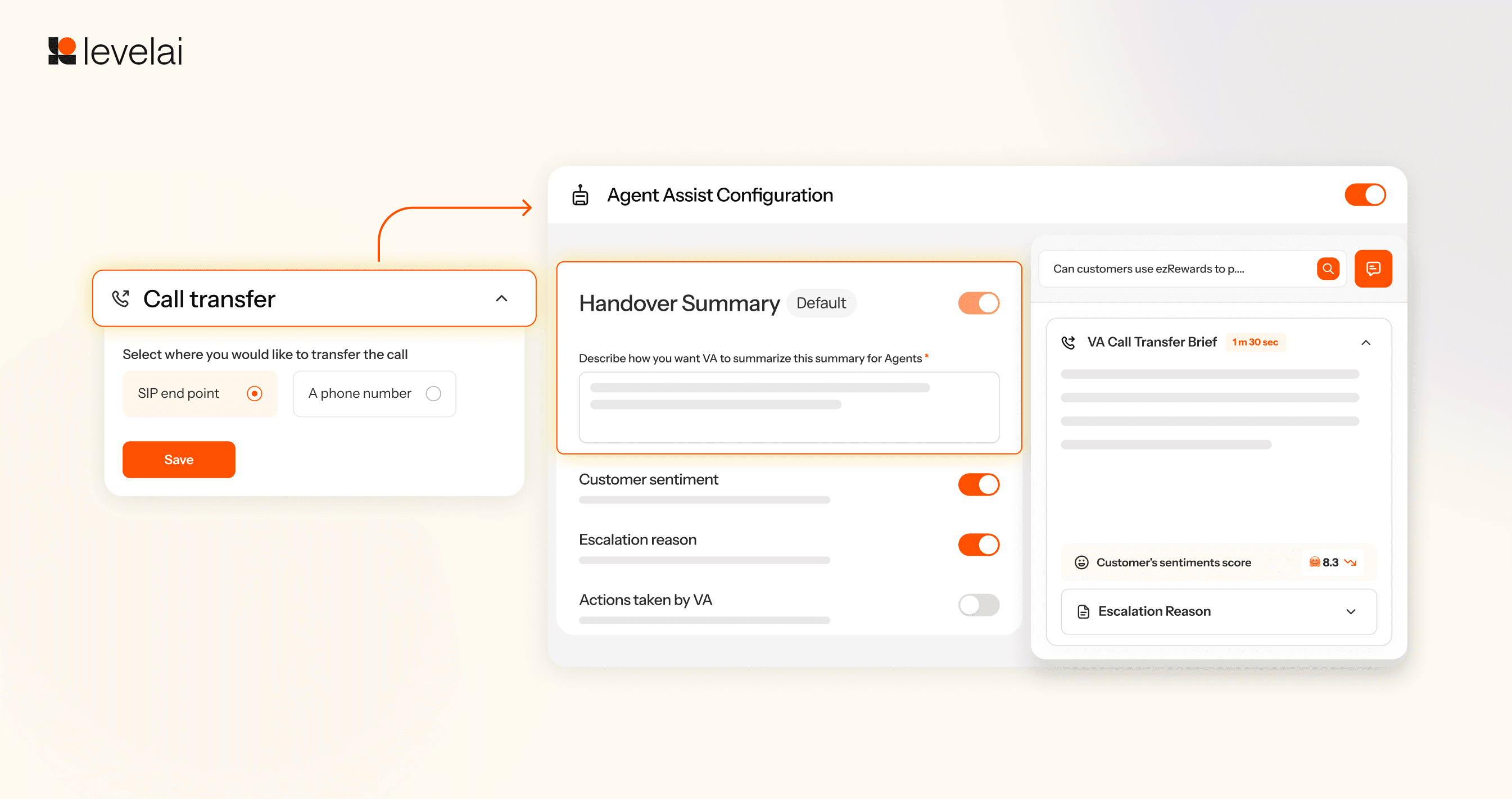
Cold transfers force customers to repeat information. They also leave human agents without visibility into prior interactions with virtual agents. Conversations transferred to human agents on Five9 Voice now carry structured context directly into Agent Assist. Agents can review the customer's situation and sentiment before they start talking.
2. Set up Agent Assist knowledge without engineering help
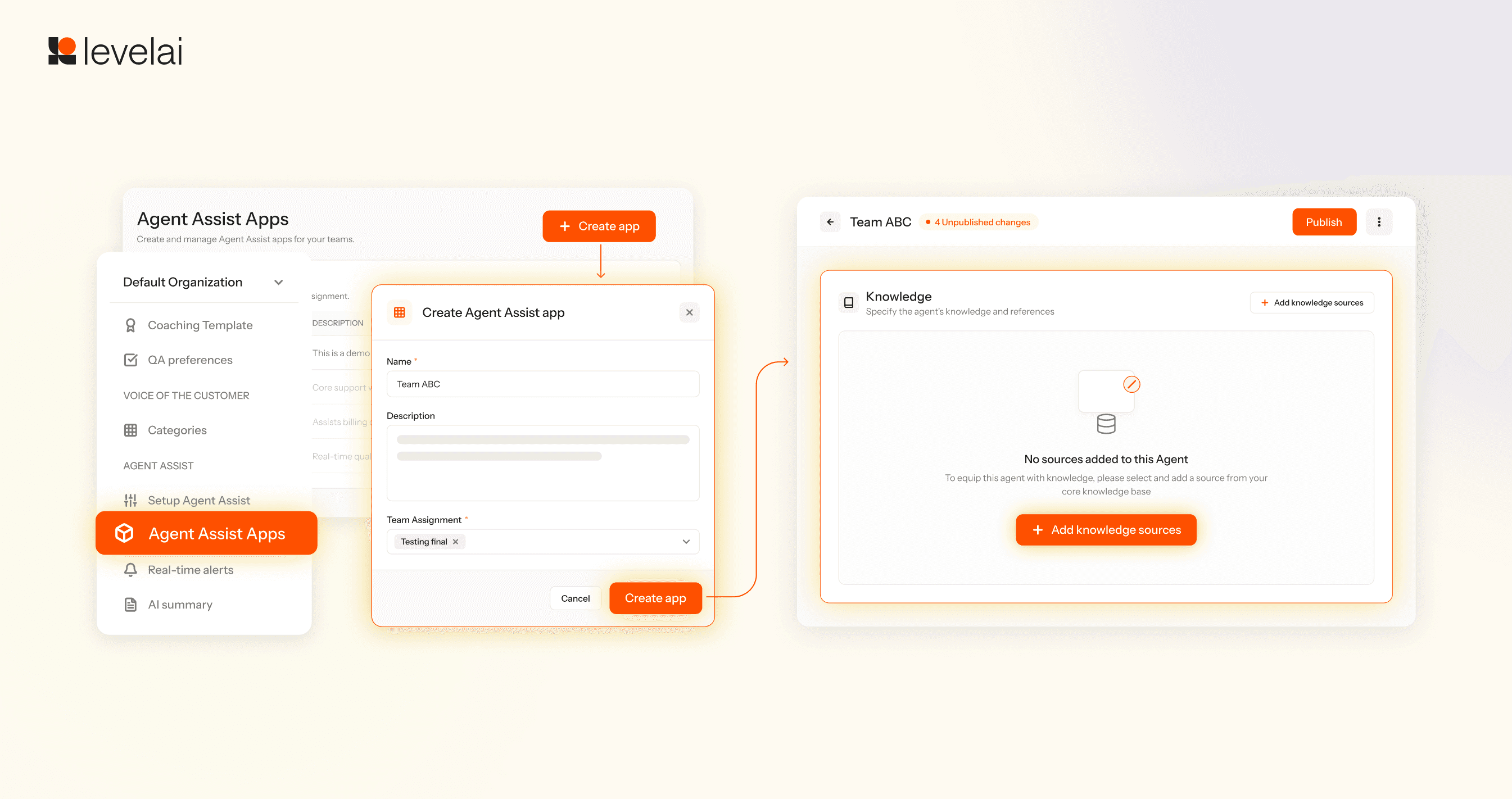
Admins can now set up and manage Agent Assist knowledge without waiting on engineering. They can create and manage Agent Assist Applications directly from the Settings page. This self-serve control reduces setup time for both demo and production environments.
3. Pronunciation dictionary
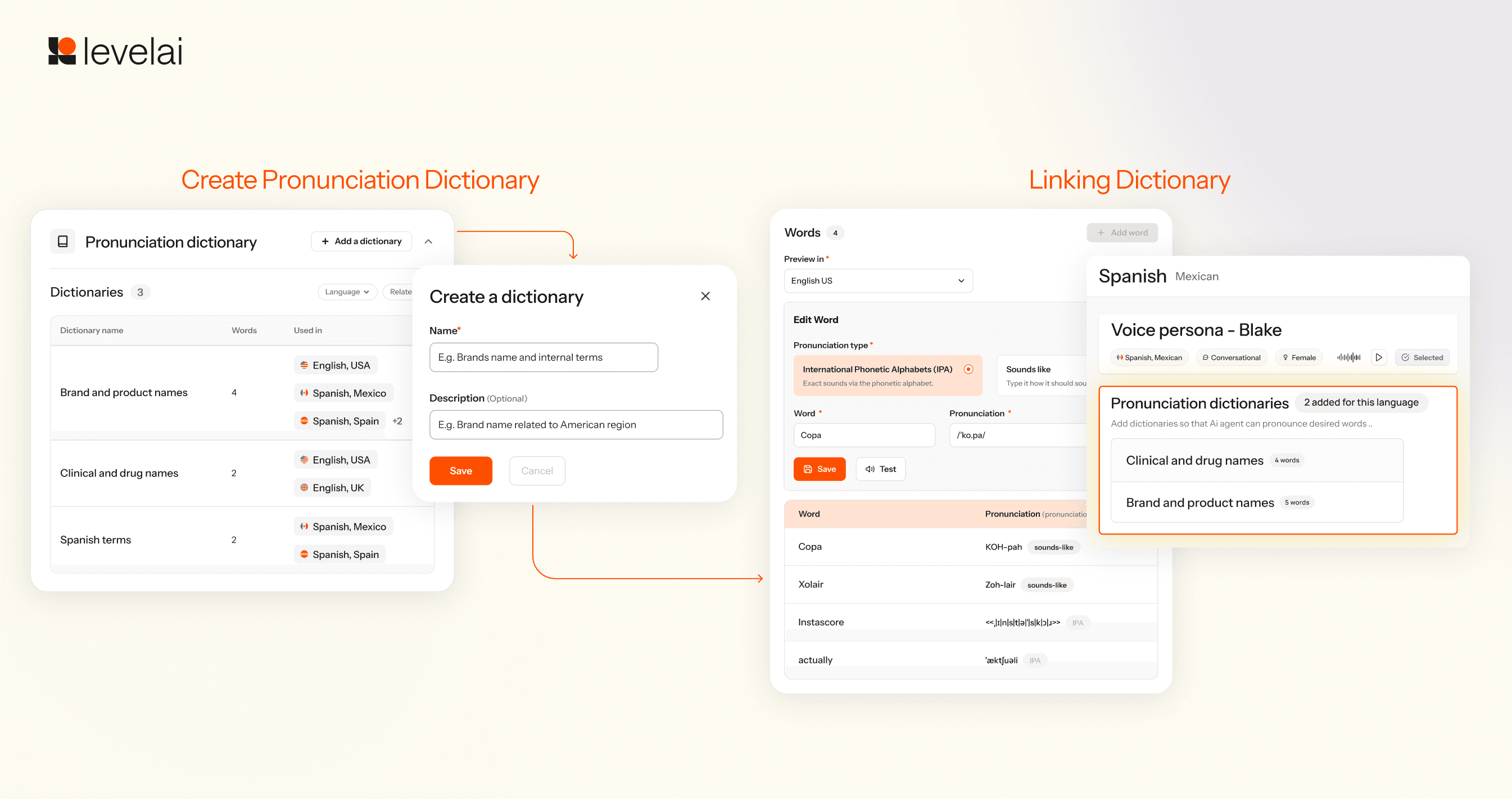
Text-to-speech systems can mispronounce brand names, acronyms, and technical terminology. With the new Pronunciation dictionary, you can now manage how virtual agents pronounce each term through a targeted search-and-replace on the Text-to-Speech (TTS) layer.
Faster and simpler QA
Quality programs lose time when evaluators spend it rebuilding views, tracking deadlines, and recreating existing rubrics.
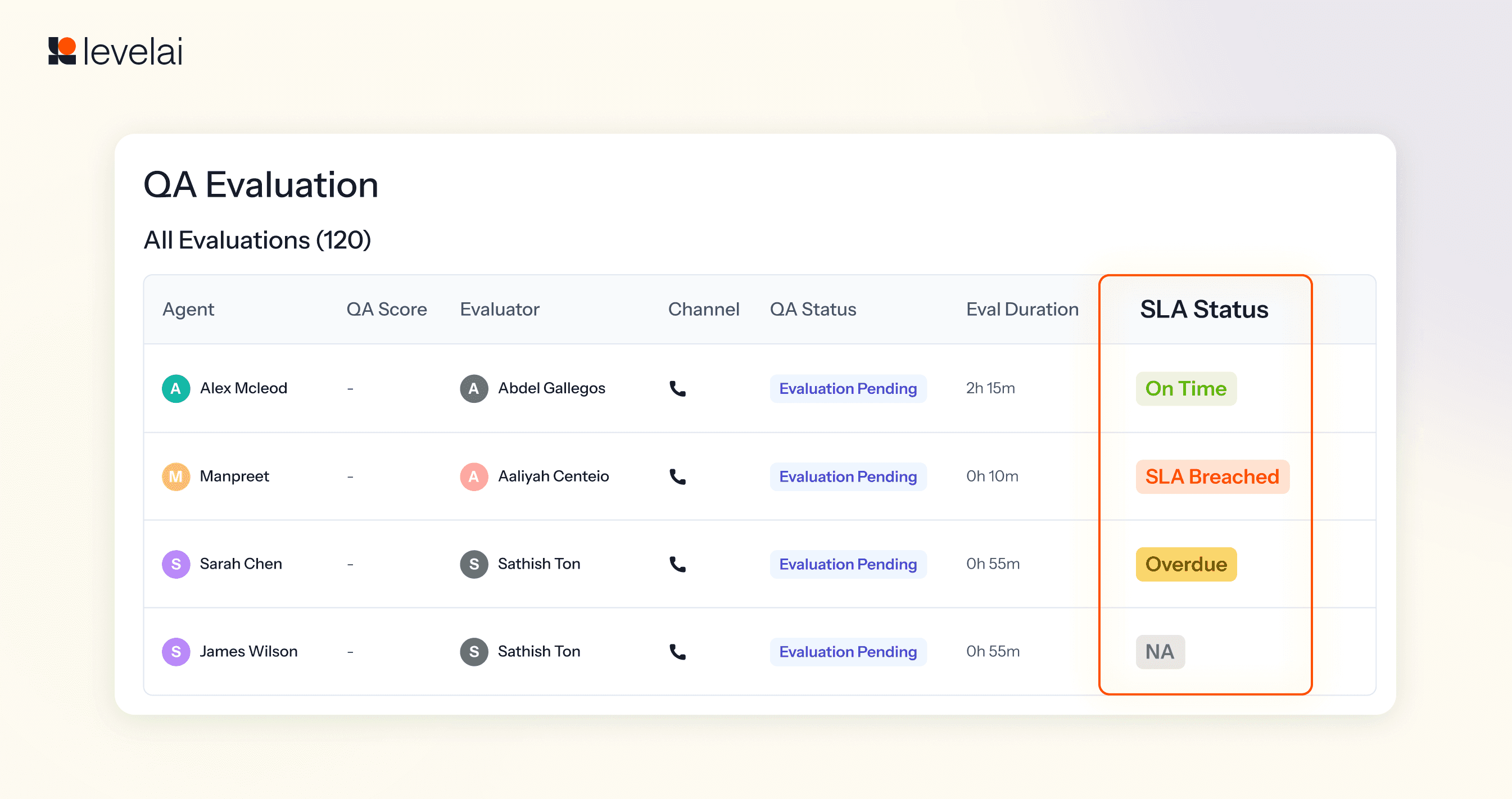
4. Track evaluation SLAs directly in the Evaluations page
QA teams need a clear record of which evaluations are on time and which have crossed a deadline. The new SLA indicator solves this by allowing QA teams to see when an evaluation is approaching or has passed its SLA directly on the Evaluations page, making overdue work easier to spot.
5. Configure Screen Recording rules at multiple levels
Admins now have more control over how Screen Recording behaves across their organization. Redaction URLs, After Call Work, pre-case activity, and case expiry rules can all be configured at the organization, channel, or integration level.

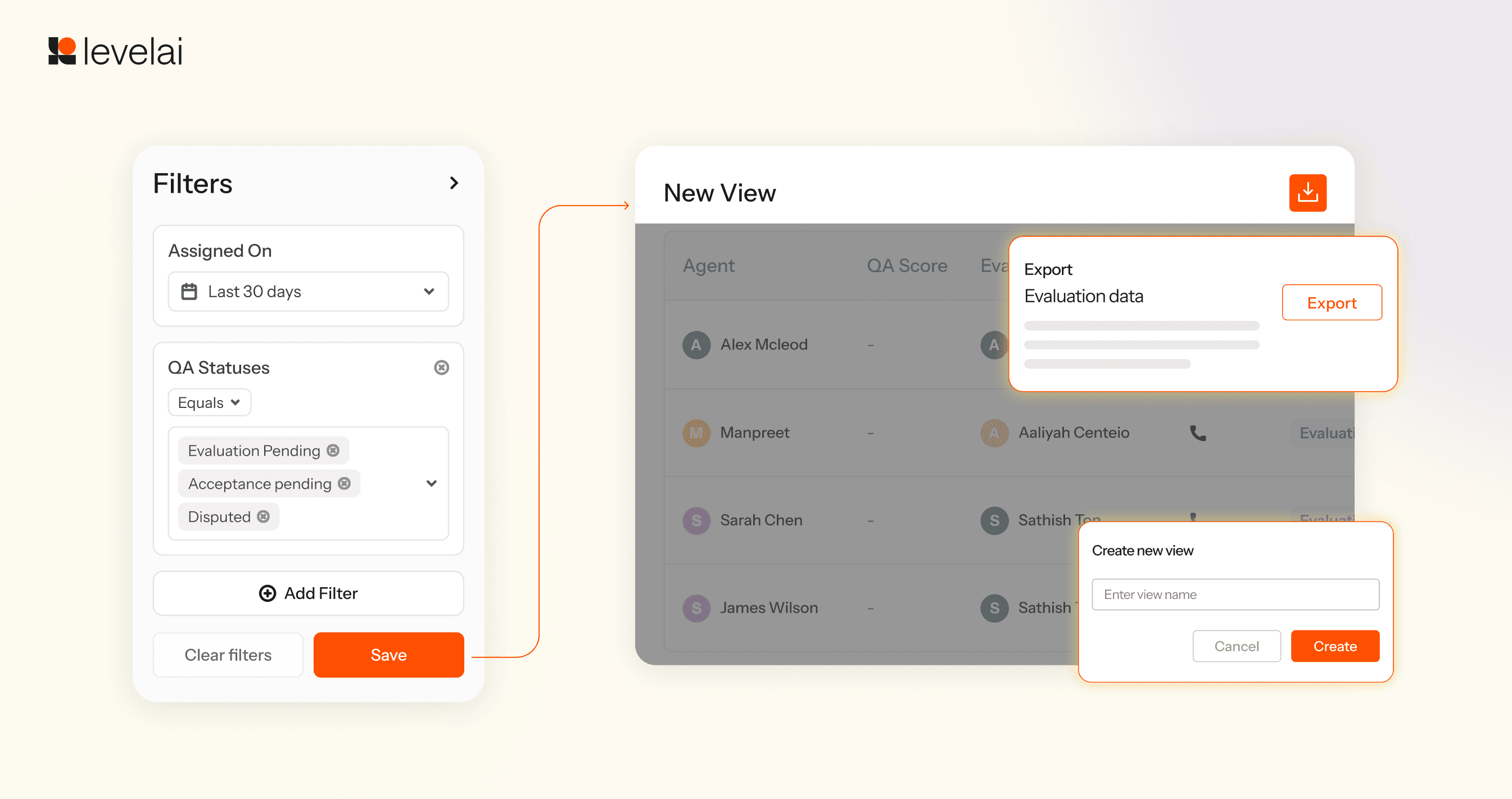
6. Reusable evaluation views and export
Evaluators often return to the same filters and columns. The redesigned Evaluations page now saves those configurations as reusable views. Evaluators can save their preferred filters and columns and export evaluation data as a CSV file whenever they need to analyze or share it elsewhere.
7. Reusable rubrics
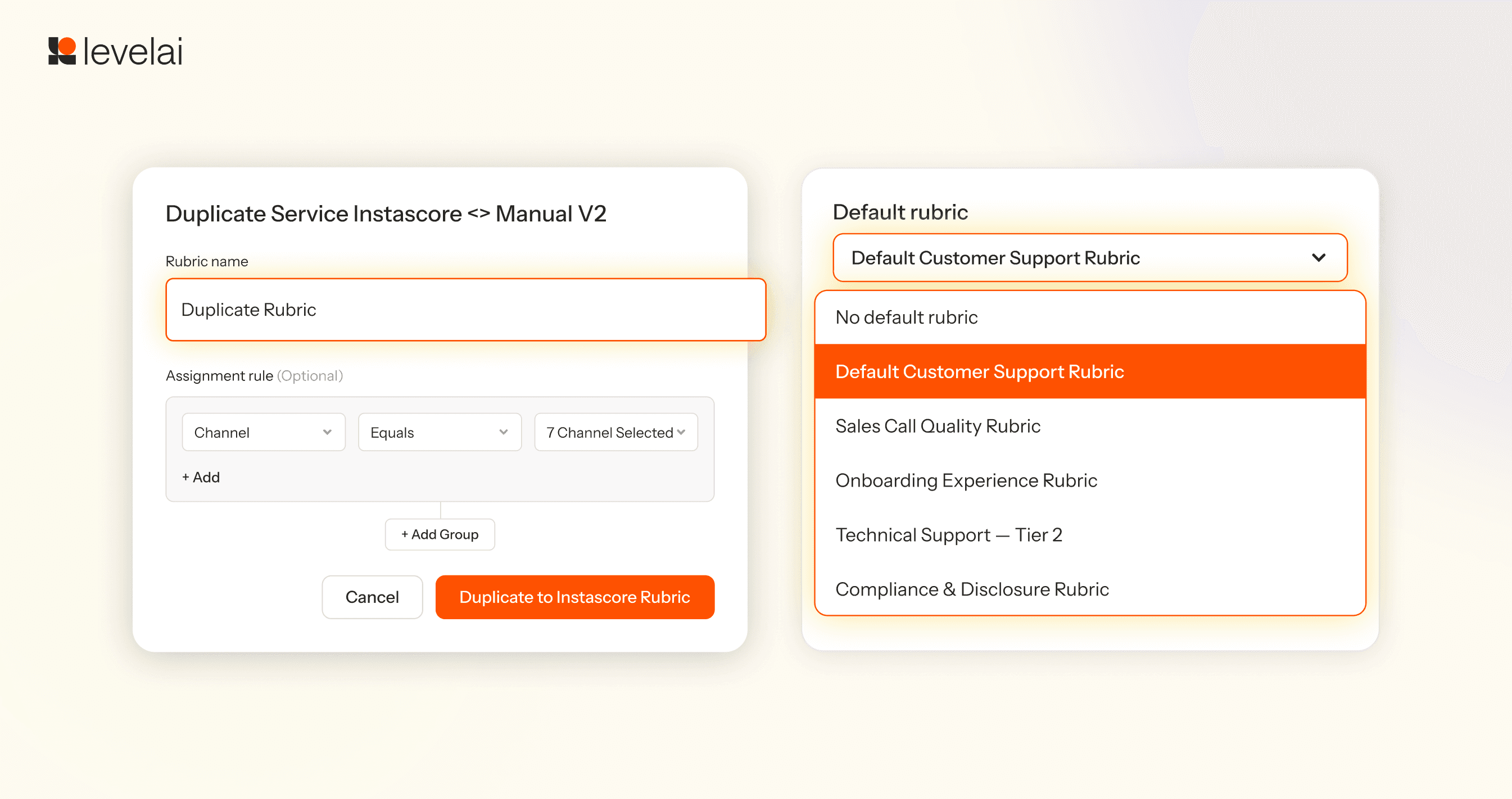
The same evaluation standard should not require a separate setup across QA workflows. QA managers can now duplicate rubrics between Manual QA and InstaScore. They can also assign a default rubric during configuration, reducing repetitive configuration and increasing consistency across workflows.
Turn customer intelligence into the next action
Finding the insight is only useful if the right people can get to it and use it.
This quarter, we made dashboards easier to find and share, gave AI Workers a path to trigger follow-up work, and removed the need to choose a specific Worker before asking a question.
8. Find and manage dashboards from a rebuilt Analytics home
Analytics workspaces accumulate dashboards over time. Old dashboards make active ones harder to find and manage.
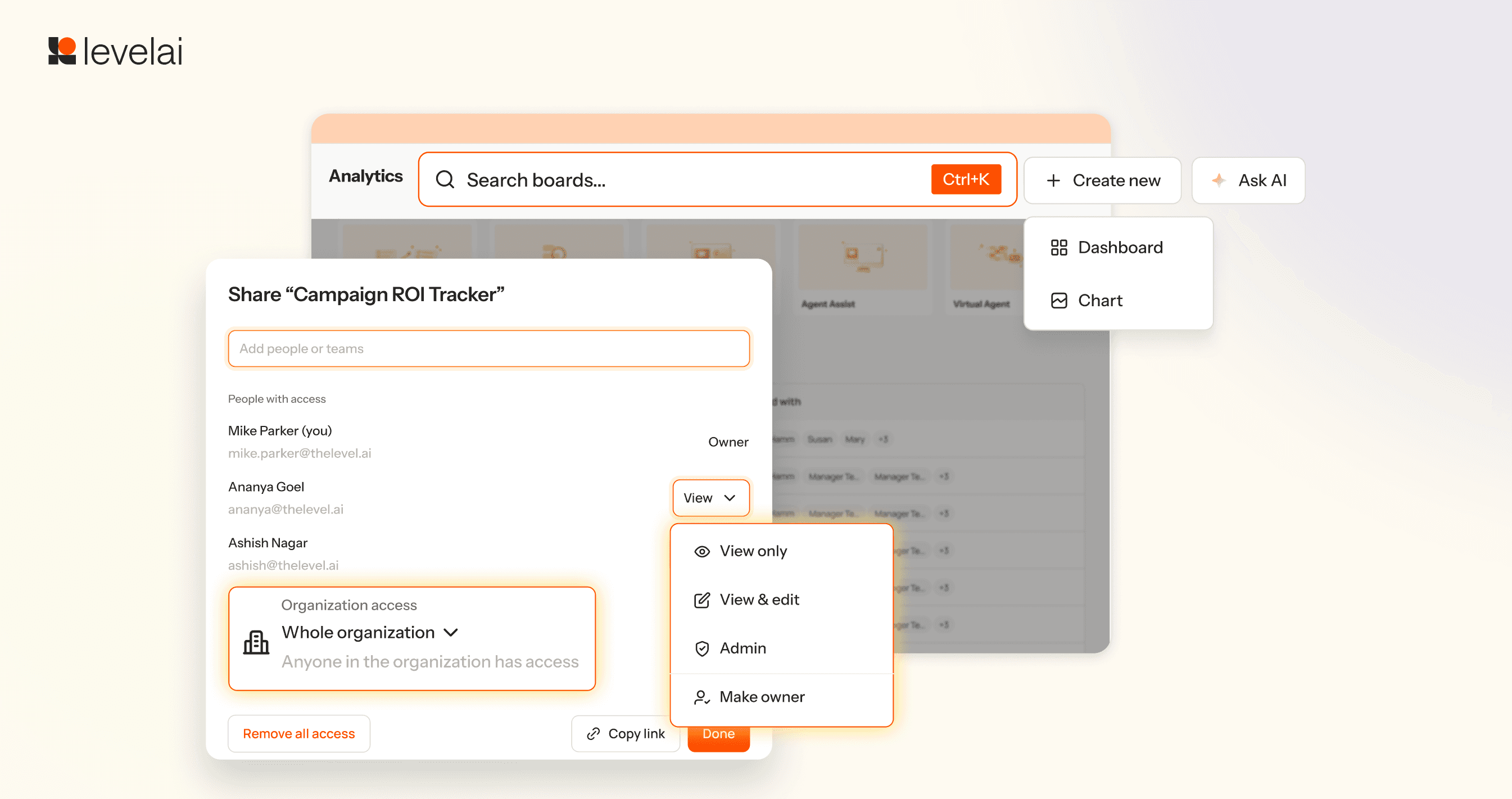
The rebuilt Analytics landing page gives admins one place to find, organize, and remove dashboards. Dashboard-level sharing also gives teams more precise control over access without relying only on global roles.
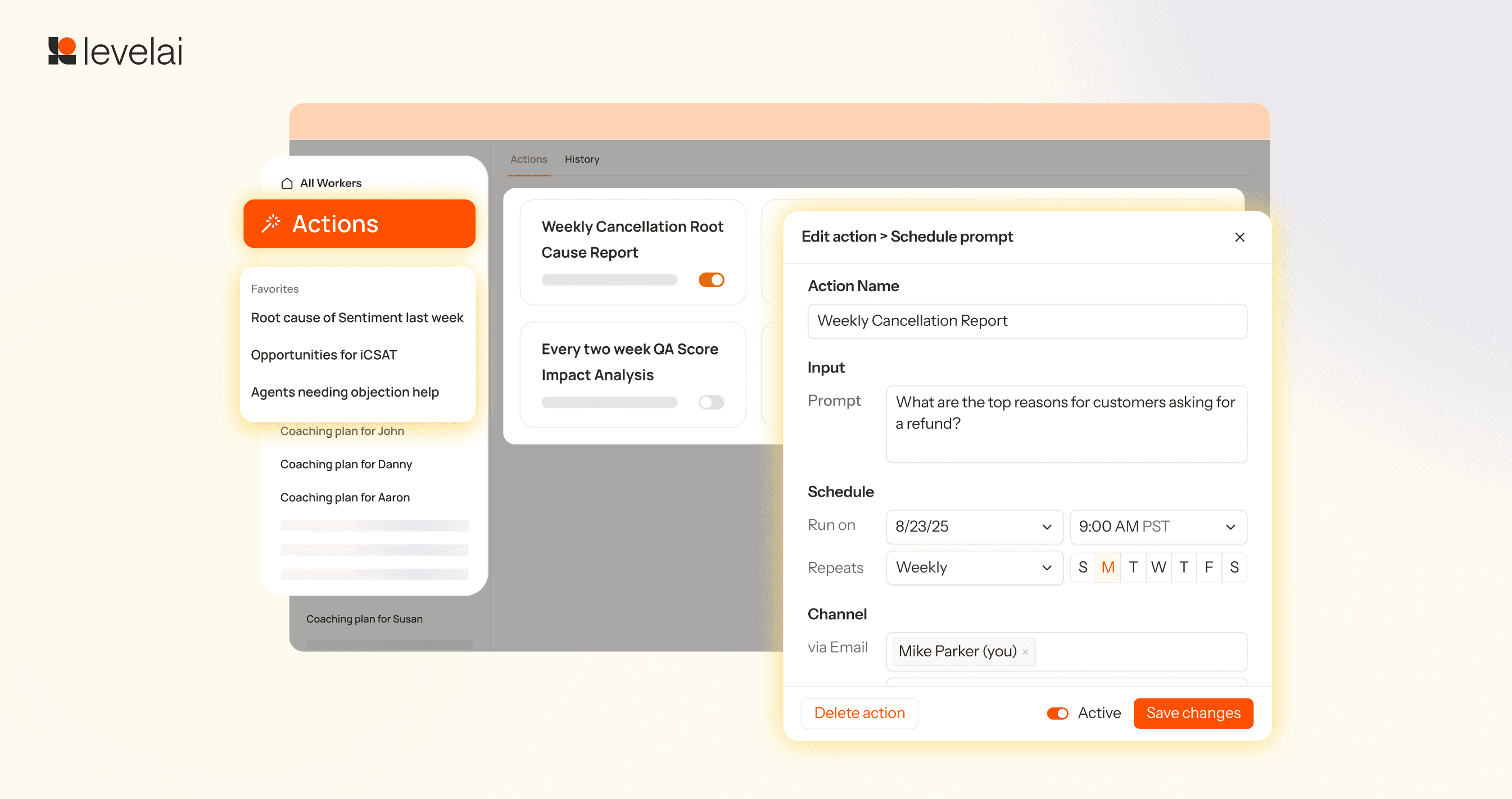
9. Trigger follow-up work from AI Workers
AI Workers can now take action on what they find, not just return an answer. These actions can further assign Coaching plans based on the output or deliver reports via Email.
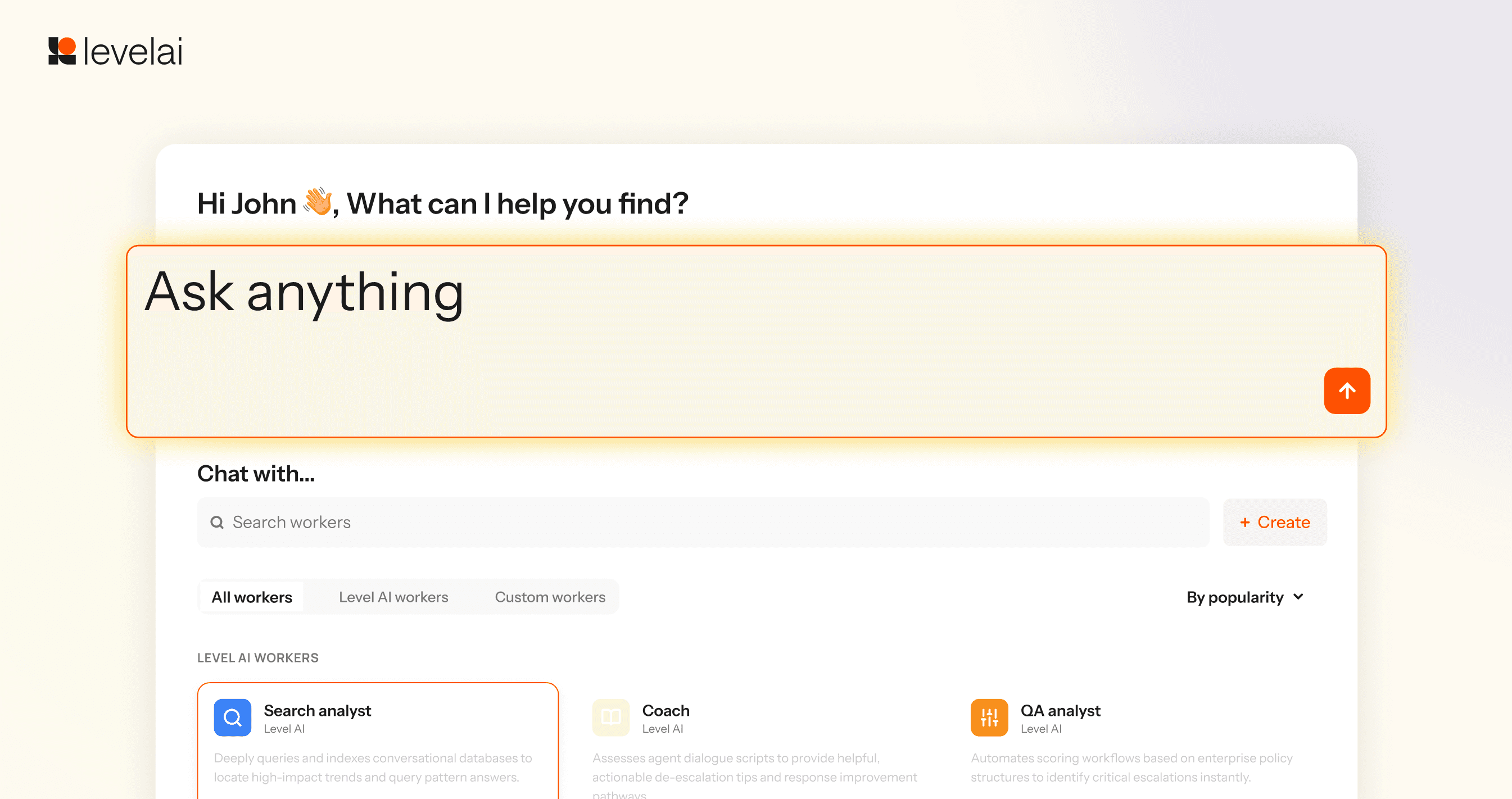
10. Ask a question without choosing the Worker first
Previously, you had to know which AI Worker to use before you could ask your question. Unified AI Worker removes that routing step. Users enter the question in plain language, and the AI Workers platform routes the request to the appropriate Worker and analysis.