9 Top Call Quality Monitoring Tools for Support Teams in 2026





Key Takeaways
- Modern call quality monitoring tools use AI to evaluate 100% of customer interactions instead of manually reviewing only 1–2% of calls.
- AI-powered call center quality monitoring tools help QA teams improve coaching, compliance, customer satisfaction, and operational efficiency.
- The best tools for automating call quality monitoring combine conversation intelligence, sentiment analysis, automated scorecards, and real-time monitoring.
- Platforms like Level AI, CallMiner, Observe.AI, and Verint help contact centers uncover customer insights and identify coaching opportunities faster.
- Businesses should evaluate call quality monitoring software based on AI accuracy, omnichannel support, automation capabilities, integrations, and reporting depth.
Call quality monitoring tools are used by customer support teams to analyze agent performance, identify coaching opportunities, and improve the team’s ability to resolve queries faster.
Introduction
They track customer interactions in real time and alert call center managers about instances where agents aren’t performing at their best. After calls are completed, these tools assess agent output against company rubrics, helping teams pinpoint specific areas for improvement.
Below, we’ll break down three key factors to consider when evaluating call monitoring tools and highlight eight platforms that offer these capabilities, including our own customer experience and QA automation solution, Level AI.
Table of Contents
- 3 key factors to consider when choosing a call quality monitoring tool
- 8 call center quality monitoring software options to consider
- Level AI: Best for customer insights and CX optimization
- Verint: Best for CX automation
- Talkdesk: Best for deploying CS AI agents
- Zendesk: Best for contact center and workforce management
- Dialpad: Best for combining team and customer communications
- CallMiner: Best for frontline agents
- Observe.ai: Best for improving operational efficiency
- Enthu.AI: Best for consumer brands
What Are Key Factors to Consider When Choosing a Call Quality Monitoring Tool?
To get real value from a call quality monitoring tool, it must capture and analyze conversations both fully and accurately in real time. That means understanding the meaning and sentiment of conversations, not just looking for specific words.
Just as importantly, post-call analysis should account for the full context of each conversation and assess agent performance based on clear, predefined criteria.
Below, we’ll explore the three most important factors to consider when evaluating call monitoring solutions.
1. Does this Solution Capture Customer Intent or Only Words?
Some call monitoring tools rely on keyword matching to detect customer intent, but this approach can be inaccurate because it ignores the full context of the conversation. Instead, it flags complete or partial matches from a predefined list of words assumed to represent specific intents.
QA teams must also try to anticipate every possible way a customer might express a need. For instance, a single intent like “product return” could show up as “send back,” “give back,” “return this,” or countless other variations.
A more effective approach uses AI to analyze conversations in real time. These systems don’t just detect words; they interpret meaning. By understanding context and natural language, they can accurately identify what the customer truly wants. We’ll show examples of this below.
2. Does This Solution Take Into Account Customer Sentiment?
To get an accurate picture of customer experience, it’s just as important to track how your customers feel about their interactions as it is to calculate the usual metrics like average time to resolution.
For example, if an agent has been impolite, a customer may still feel upset, even if their question has been answered quickly. Customer sentiment analysis gives extra information that regular call center metrics might miss. It helps explain how agents are really doing by showing how customers feel during and after a conversation.
When you look at sentiment data from many calls, it becomes even more useful. If a lot of customers are upset about the same issue, like a confusing process or a product problem, it can point to a bigger problem that needs fixing. On the other hand, if customers express positive sentiments after talking to certain agents, that can show what those agents are doing well, so others can learn from them.
3. Can the Solution Auto-Score Agent Performance Against Predefined Criteria?
Support teams generally don’t have time to listen through the entirety of every customer call, usually getting through only about 1–2% of them. Since these calls are typically randomly sampled, they may not show a full picture of how agents are doing, which can lead to missing important problems or overlooking what’s working well.
That’s why it’s important to find a call quality management tool that can automatically score every customer conversation using your company’s own guidelines. A good tool should also point out which calls need closer attention from the QA team. This way, the team can spend their time on the calls that matter most, like coaching agents, spotting problems, and improving service.
Read on to learn more about eight top customer support solutions that support call quality monitoring, starting with our platform, Level AI.
| Call Quality Monitoring Tool | Key Features | Best For |
|---|---|---|
| Level AI | Automated QA, AI-powered conversation intelligence, sentiment analysis, evaluates 100% of interactions, coaching insights | Customer insights and CX optimization |
| Verint | CX automation, workforce engagement, speech analytics, compliance monitoring | Enterprise CX automation |
| Talkdesk | AI agents, omnichannel support, workforce management, analytics | Deploying customer service AI agents |
| Zendesk | Contact center management, ticketing, workforce monitoring, omnichannel support | Contact center and workforce management |
| Dialpad | AI call transcription, live coaching, unified communications, sentiment tracking | Combining internal and customer communications |
| CallMiner | Speech analytics, customer intent detection, risk analysis, frontline insights | Frontline agent performance improvement |
| Observe.AI | Automated QA, AI scoring, real-time coaching, operational analytics | Improving operational efficiency |
| Enthu.AI | Agent performance analytics, QA automation, customer conversation insights | Consumer brands and support teams |
| Gong | AI-powered call recording, conversation analytics, sentiment tracking, coaching insights, performance analytics | Sales and support teams looking to improve call quality and agent coaching |
9 Call Center Quality Monitoring Software Options to Consider
1. Level AI: Best for Customer Insights and CX Optimization
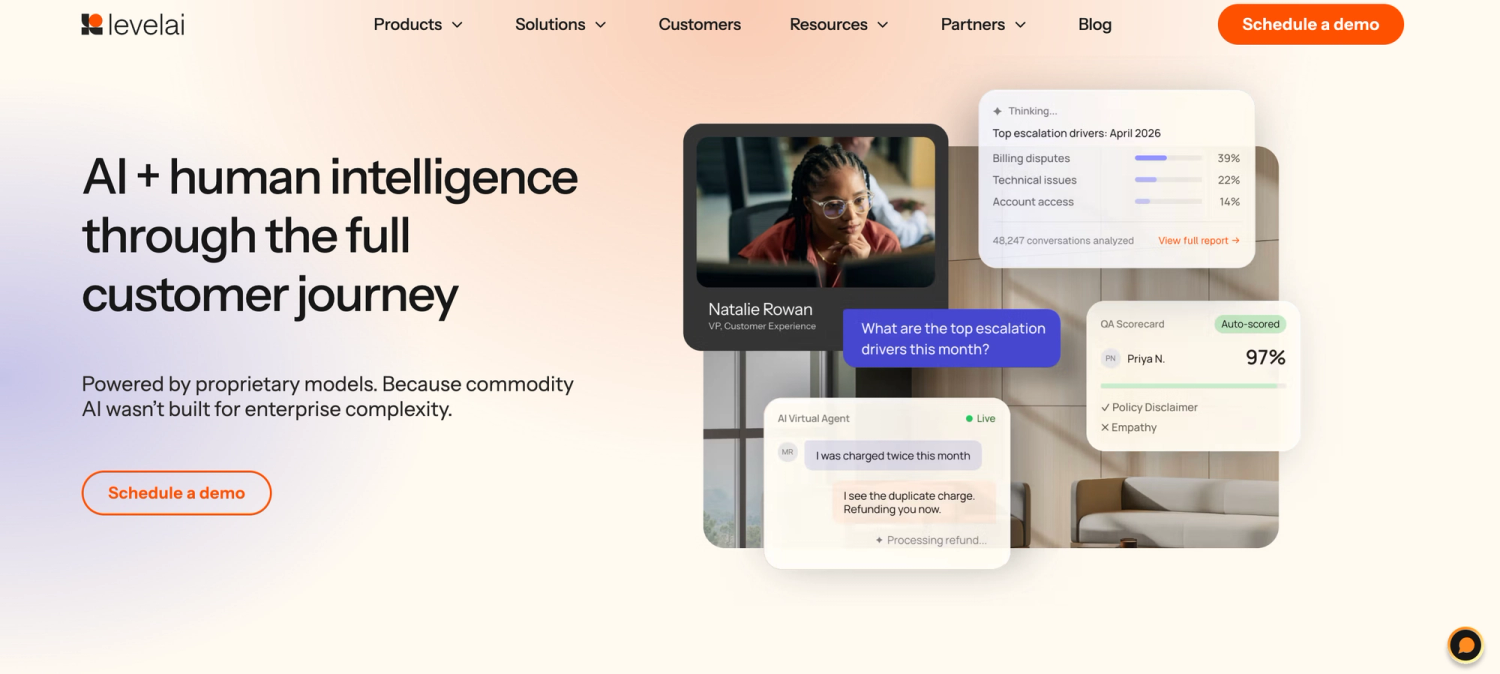
Level AI is a call quality monitoring platform that automatically evaluates 100% of customer interactions, so you don’t have to rely on random call sampling. It helps QA teams spot coaching opportunities, detect performance gaps, and deliver feedback with precision, without the manual effort.
It includes in-depth analytics and end-to-end automations, such as Virtual Agent, Level AI’s voice and chat virtual agent that understands context, adapts to topic shifts, and leads human-like conversations.
Our platform’s AI-powered call quality monitoring also understands natural language with near-human accuracy due to its secure and customizable Generative AI capabilities and semantic intelligence.
Below, we first describe underlying technologies like speech and sentiment analysis, before covering Level AI’s call monitoring features.
From Speech to Insight: Making Call Monitoring Accurate
One of the biggest challenges of call quality monitoring is ensuring the results of automated analysis take into account both the real meaning of words and sentiments expressed by customers.
Our platform uses AI (as opposed to rules-based algorithms), using automatic speech recognition (ASR) to convert spoken conversations into written transcripts accurately.
To increase accuracy, ASR is trained on different vocal modulations, such as accents, dialects, speaking styles, phrasings, and speech patterns. It also filters out background noise, resulting in a 7% more accurate recognition than industry standards.
Once calls are deciphered and transcribed, Level AI identifies customer intent and captures customer sentiment for every call.
Customer Intent Analysis Based on Natural Language Understanding
Level AI’s Scenario Engine evaluates call drivers through natural language understanding and AI speech analytics, identifying specific phrases that indicate particular intents as scenarios.
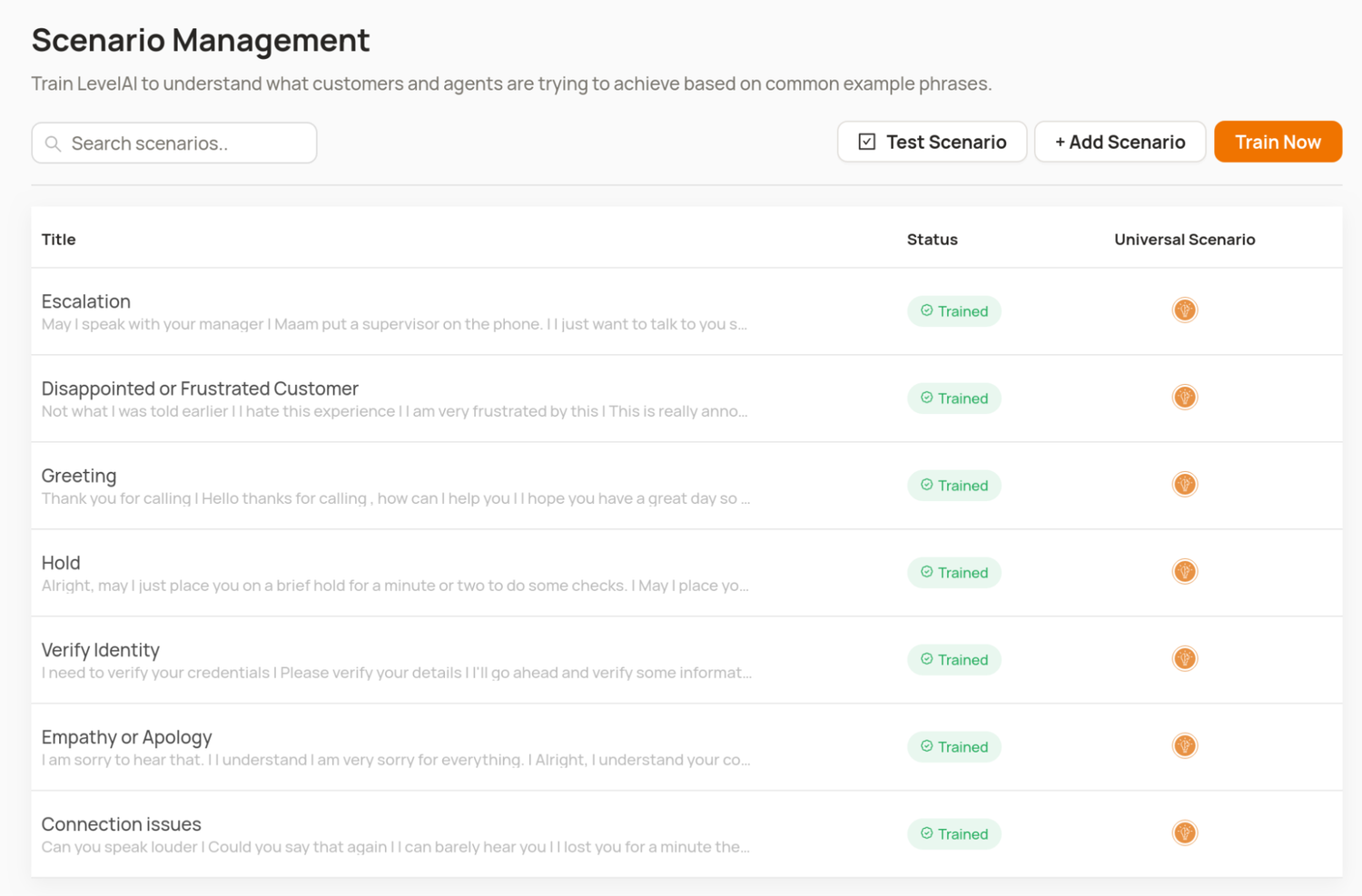
For example, phrases like “I need to update my billing information” or “My payment didn’t go through” might fall under a “Billing Issue” scenario, while statements such as “The item arrived damaged” or “I want to return my order” would be grouped under a “Return” or “Replacement” scenario.
Level AI is shipped with a number of scenarios out of the box, but you can also create your own as needed.
Every scenario in a conversation transcript is indicated with a particular conversation tag, showing you exactly where key customer intents were expressed. You can create and manage your own tag lists and use them to find conversations containing certain intents.
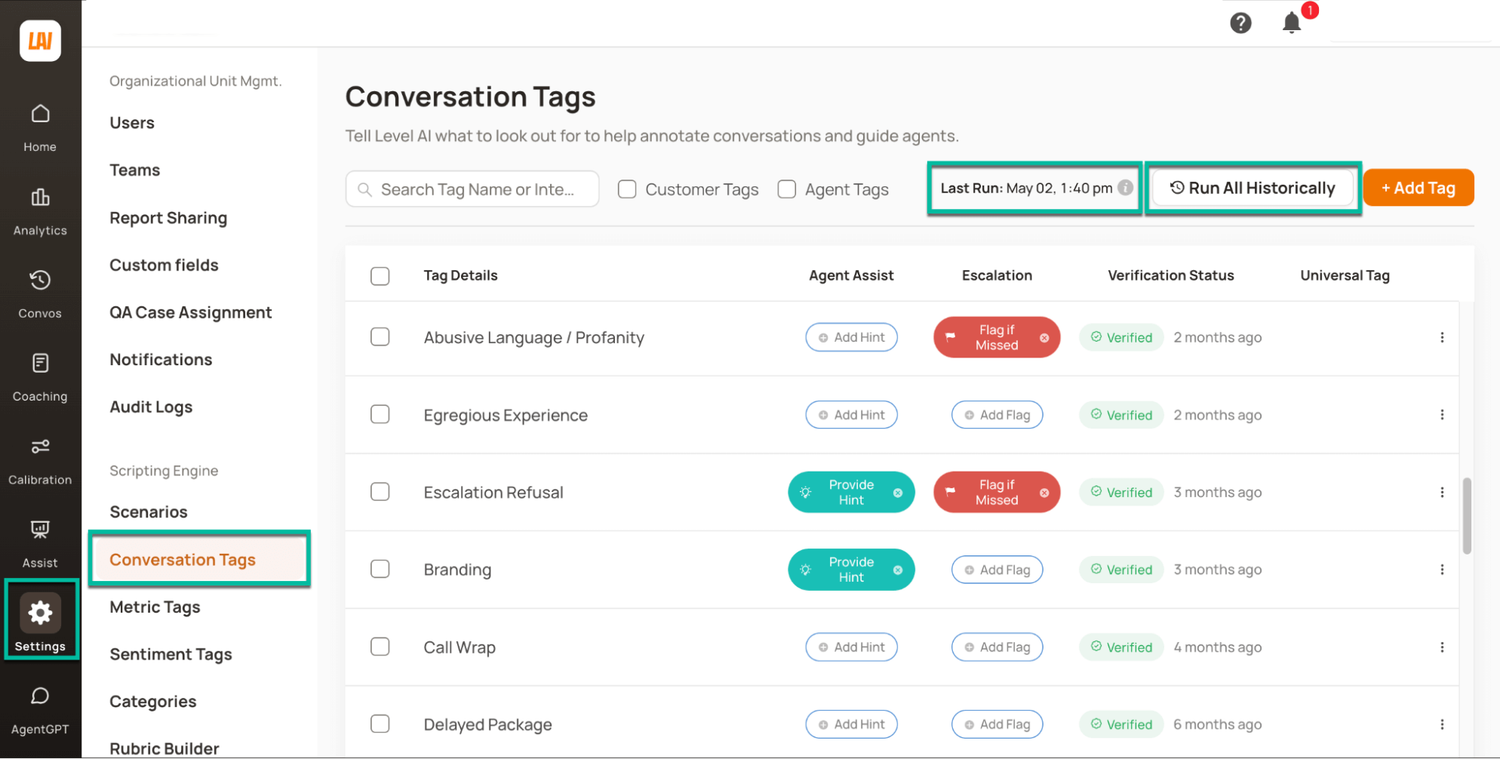
You can also include conversation tags in your reporting to track recurring topics, flag high-priority issues, and segment interactions by intent, product, or resolution type for deeper analysis.
See our article on how to improve quality assurance in a call center.
Tracking What Your Customers Are Really Feeling
Level AI recognizes the highest number of positive and negative emotions of any call center tracking system software in our category, including:
- Happiness
- Worry
- Disapproval
- Disappointment
- Annoyance
- Anger
- Gratitude
- Admiration
Level AI’s customer sentiment analysis also tags conversations in real-time and tracks sentiment changes throughout the call.
The platform applies sentiment tags to specific moments in conversations where customers expressed a certain emotion, and you can search these to find interactions containing specific emotions.
Level AI also automatically assigns a Sentiment Score to every interaction, which is a weighted calculation of all sentiments expressed by the customer during the call. The algorithm puts more weight on emotions expressed towards the end of the call, as these reflect recency bias and more reliably shape customers’ overall feelings towards your product, service, or brand:
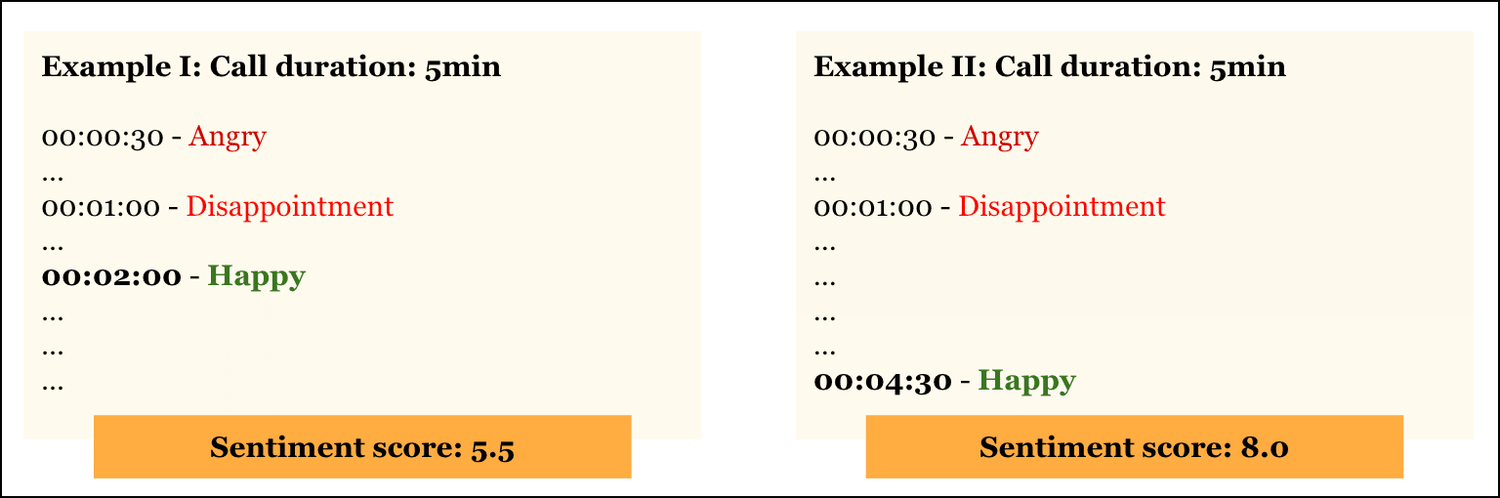
The Sentiment Score gives you a clearer picture of how customers felt overall about the interaction, making it easier to identify calls that need follow-up, spot coaching opportunities, and understand how agent behavior influences customer perception.
Call Monitoring Features for Improving Service Quality
Pinpointing Agent Performance in Every Interaction
Without full visibility into how agents handle each interaction, it's difficult to identify consistent strengths, uncover individual performance gaps, or deliver targeted coaching.
As a result, underperformance may persist unchecked, prominent behaviors might go unnoticed, and agents miss out on the feedback they need to grow, ultimately leading to inconsistent experiences for customers.
Level AI supports teams by auto-scoring agents’ performance during every call with InstaScore, a single value reflecting how well agents have followed specific rubrics during interactions.
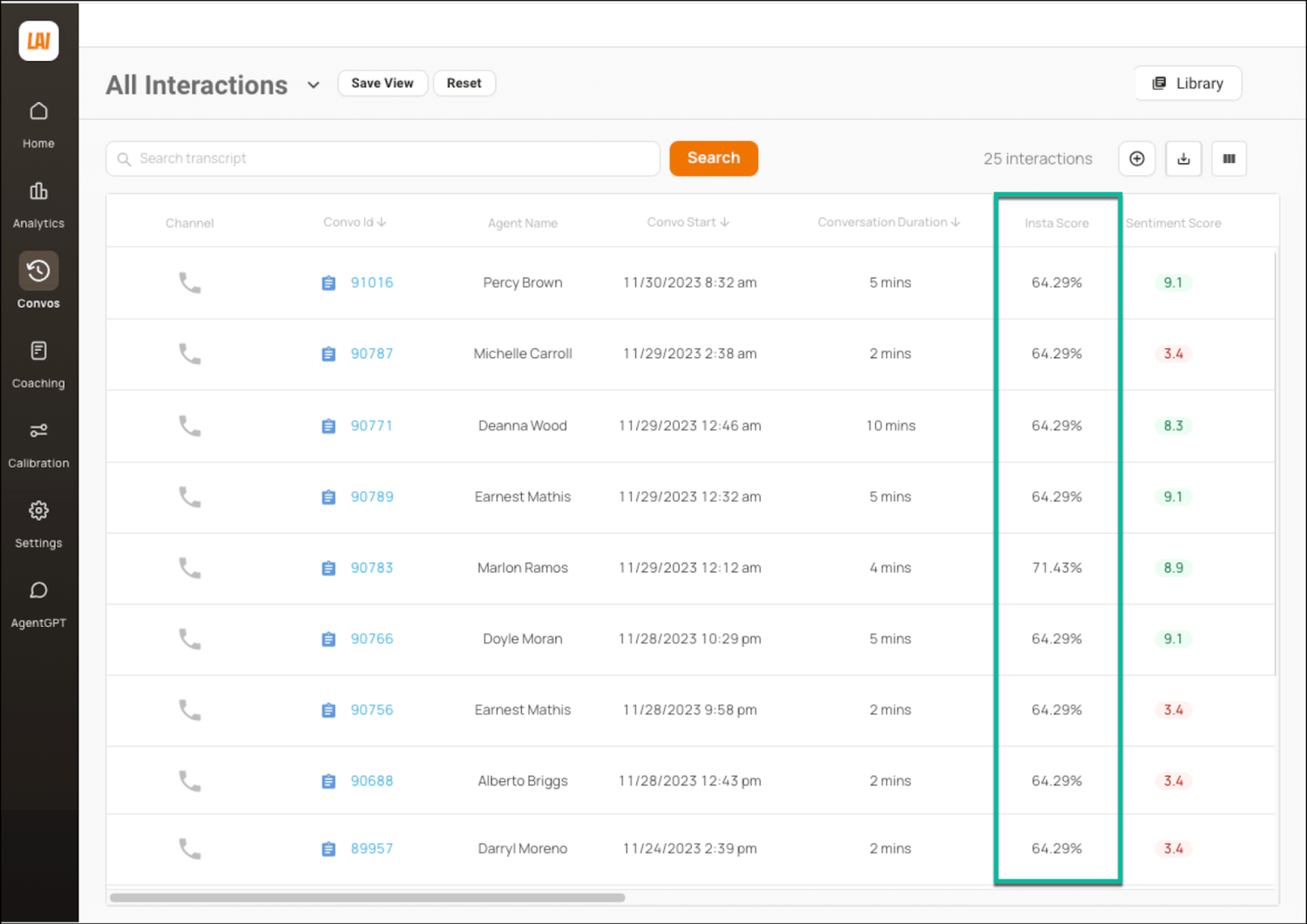
Examples of rubrics include whether an agent:
- Professionally greeted the caller
- Solved the customer’s problem
- Gave any relevant disclosures
Our AI-powered InstaScore gives you insights into agent performance at a glance, allowing you to decide instantly whether deeper inspection of the conversation is warranted.
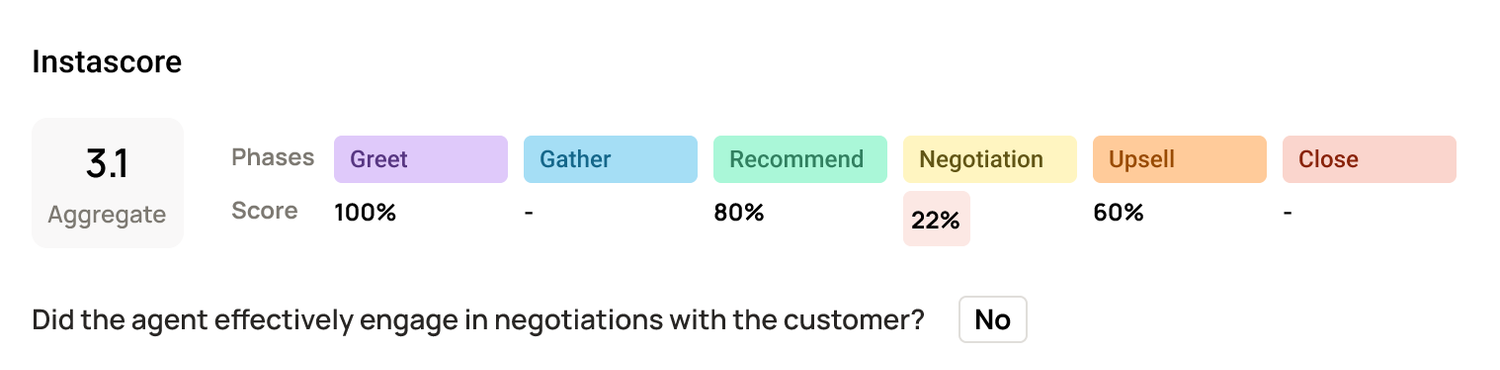
Although we provide a number of rubrics out of the box, you can also create your own for your specific situation.
Know When to Step In & De-Escalate a Conversation
Many platforms offer real-time support and alert you when agents need help with resolving a complex issue or de-escalating a conversation.
Some solutions are likely to rely only on call duration as the primary metric, however. This approach tends to:
- Miss shorter calls where customers were nonetheless very dissatisfied with the outcome.
- Generate false positives, likely where customers are positively interacting with agents despite the long duration.
Level AI’s Real-Time Manager Assist allows you to monitor ongoing conversations efficiently based on the following performance metrics:
- Call duration
- Customer Sentiment Score
- Conversion probability
- Deal size
- Agent InstaScore
Its dashboard shows you all live conversations in one place:
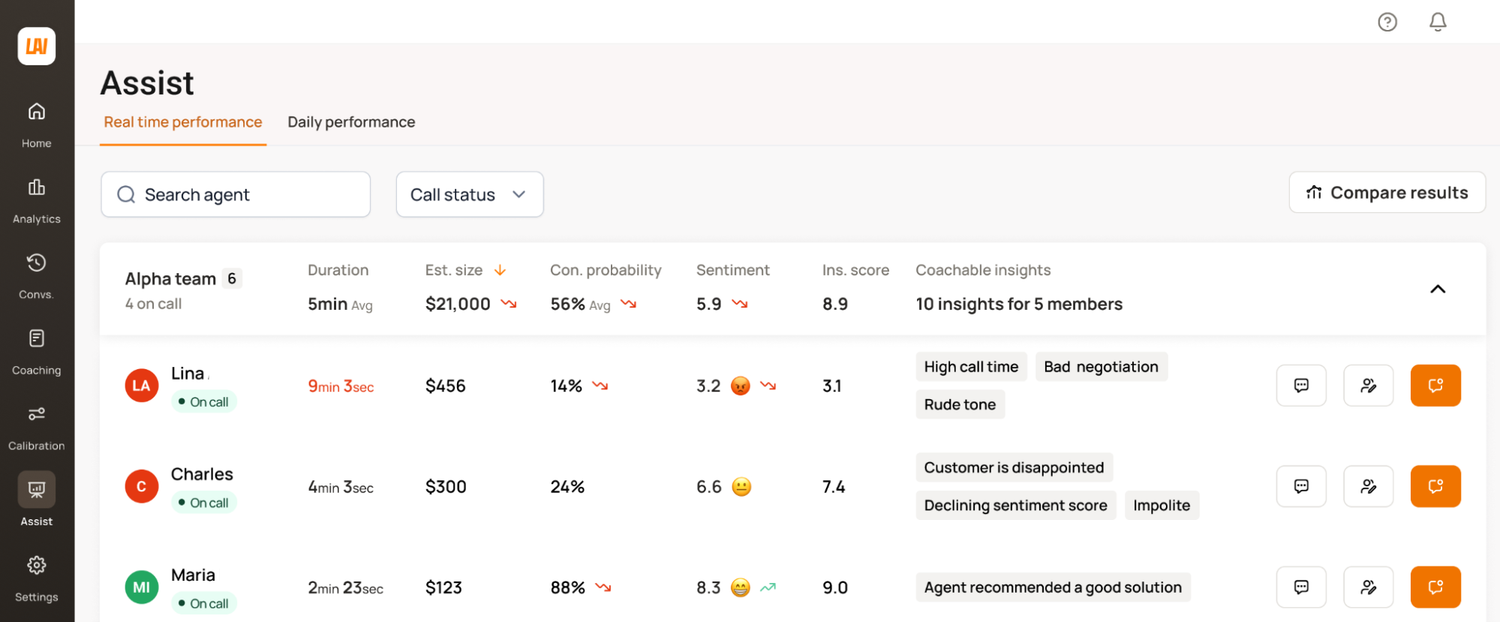
To investigate a call further, you can click on any of the KPIs to see supporting conversation snippets and more detailed metrics, saving time from simply listening in on the interaction. To intervene, the platform offers call whispering and call barging.
For QA teams, the challenge isn’t stepping in during the call. It’s quickly finding the right ones to review afterward, without spending hours digging through transcripts or listening end-to-end, as we discuss in the next section.
See our article on how to monitor call center performance.
Highlight the Calls That Matter Most
InstaReview highlights calls that are probably worth your time to look into, either as great examples of issue resolution or because they didn’t go well.
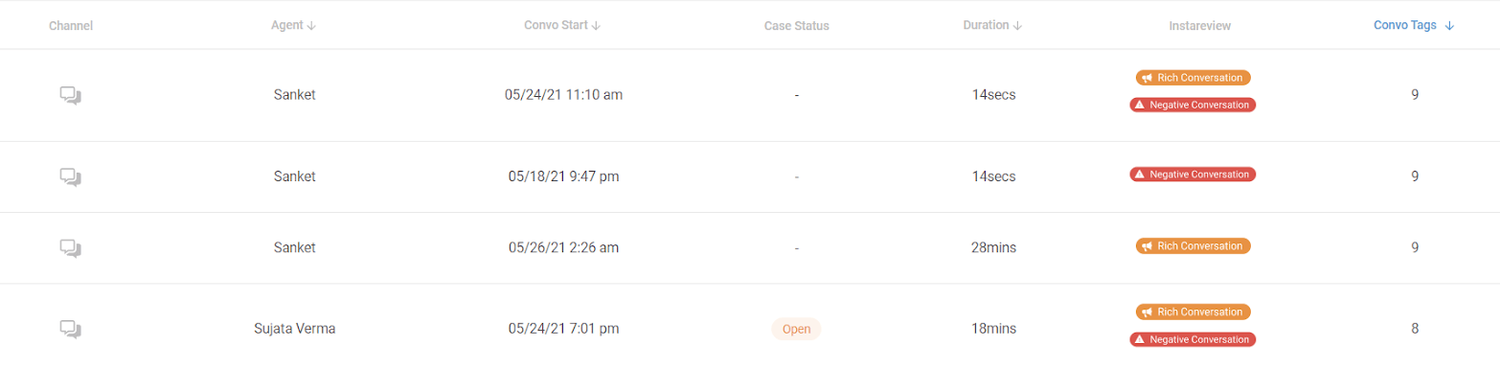
For every conversation, an InstaReview tag may appear, indicating a:
- Rich conversation with a long duration and a high number of assists.
- Negative conversation with a Sentiment Score under 6 and a high number of flags.
- Positive interaction with a Sentiment Score of over 6.
You can filter calls by specific tags to find particular types of conversations, and then pull up transcripts and screen recordings for any of them.
InstaReview can be used to identify interactions for follow-up coaching or training, or as examples of conversations that have gone really well and can be used as a reference.
See What Customers Are Really Saying and Why
Many customer service teams rely on surveys to gather customer feedback. However, this approach has several disadvantages, for example:
- There’s typically a time lag in getting results.
- You only hear from customers with very positive or very negative experiences.
- There’s limited context due to customers not sharing (or not remembering) all the details.
On the other hand, teams using quality management tools based on conversation analytics software can get a direct view into how customers feel about their experiences. Instead of guessing or relying on a few survey responses, teams get clear insights they can use right away to fix issues, improve service, and coach agents more effectively.
For example, Level AI’s Voice of the Customer Insights highlights the most common topics in customer queries, including complaints about experiences that didn’t meet customer expectations, such as being put on hold too frequently.
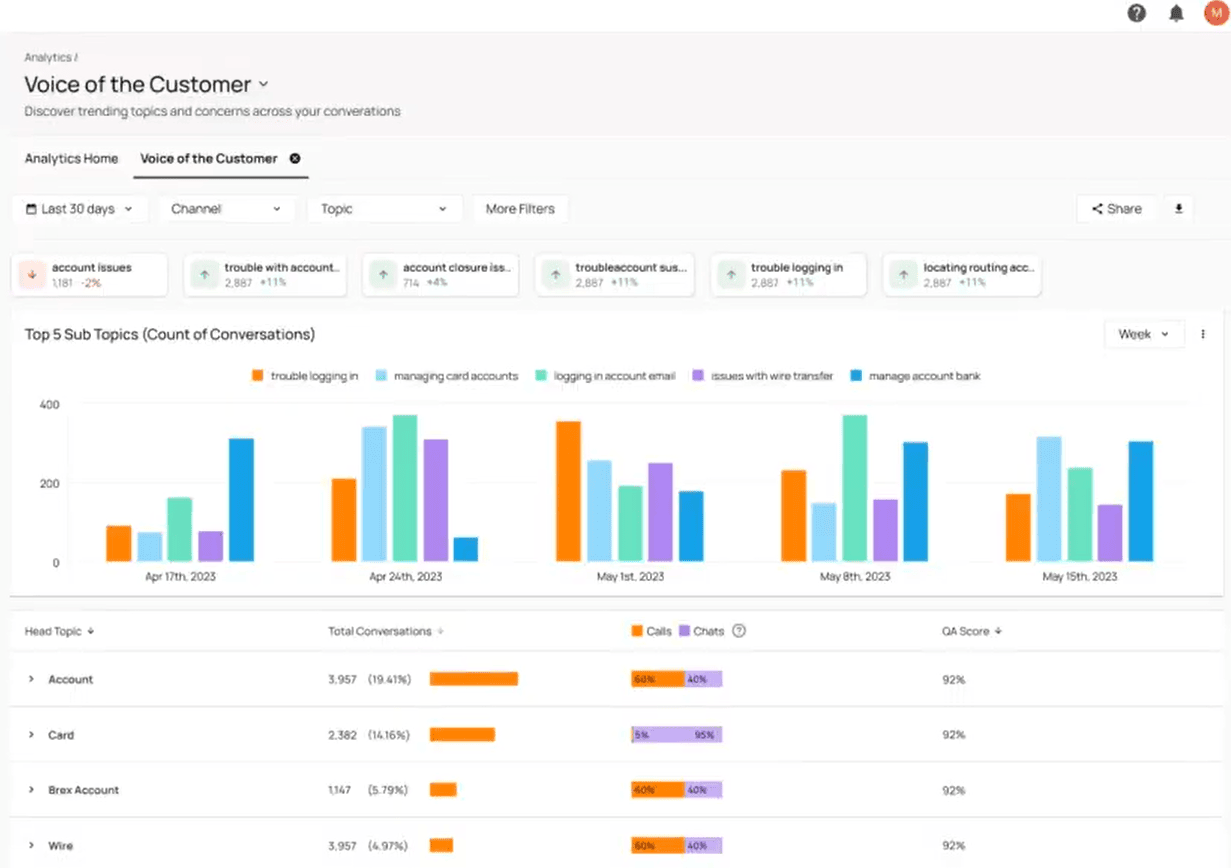
The dashboard also displays AI-powered scores for such standard key performance indicators as customer satisfaction scores (CSAT), net promoter score (NPS), and customer effort score (CES).
To uncover the root causes behind that data, customer service reps can either use a pre-built call center analytics dashboard or use Level AI’s Query Builder to build customized analytics dashboards and filter conversations based on specific metrics (like call drivers, AHT, or Sentiment Score):
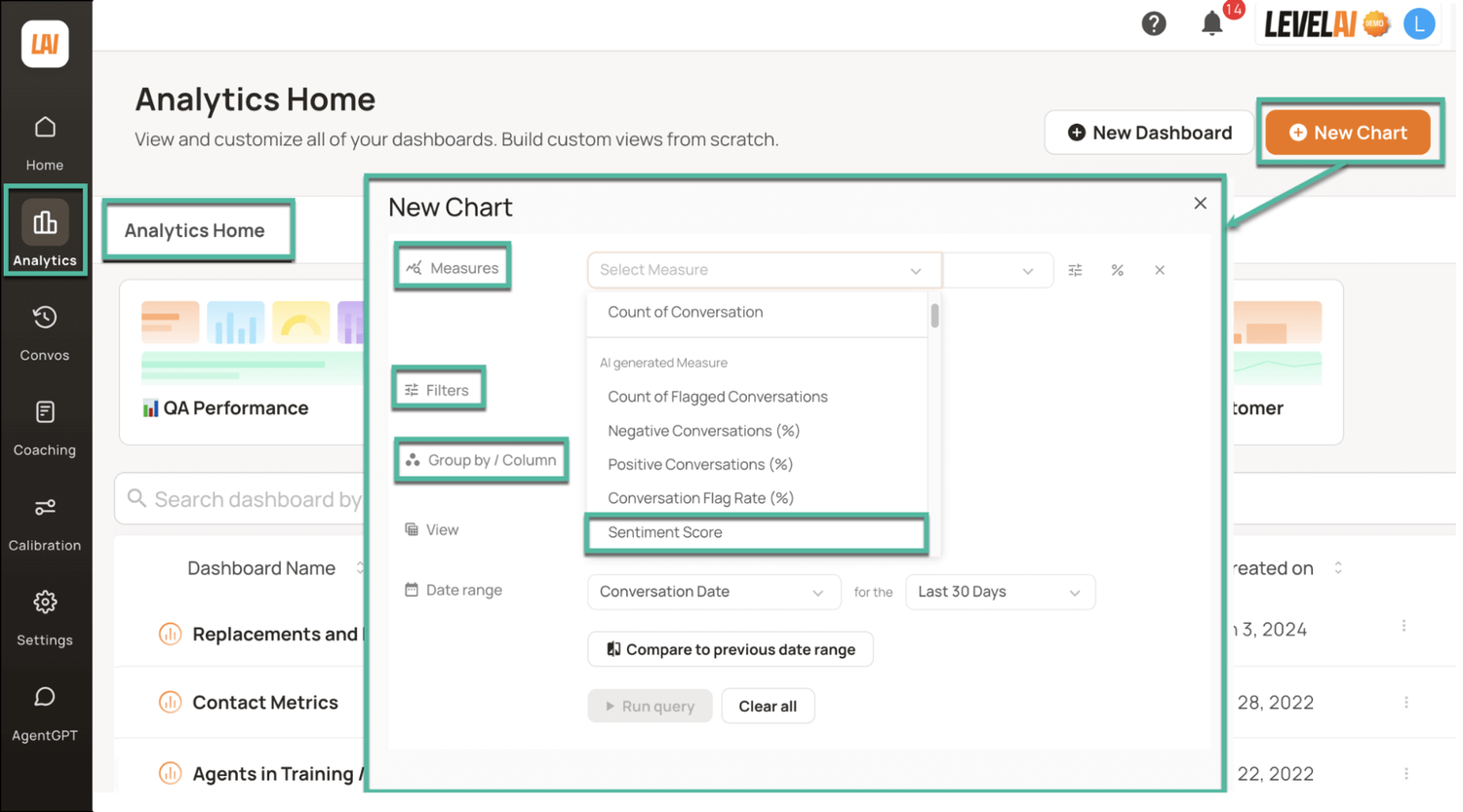
Additionally, the Query Builder can pull data from external sources, like a CRM or a ticketing tool, for a complete picture of team performance.
Customer Success Stories
Below are examples of how Level AI customers combined call quality monitoring with multiple Level AI features to improve call center productivity and customer satisfaction:
- This insurance provider has automated quality assurance after setting up a customized scorecard to improve quality assurance score accuracy and create a culture of continuous improvement.
- This customer reduced average handle time by 23% and AHT by 13% after setting up call monitoring software and Real-Time Agent Assist to improve internal processes.
- This financial institution was able to save an estimated additional quarter of a million dollars with every 10-second reduction in AHT after fully automating quality assurance and improving their internal processes.
- Lastly, this multinational design and marketing firm was able to reduce the number of unwarranted refunds after analyzing call recordings and training agents to follow internal procedures, ultimately improving customer service by 28%.
Schedule your demo today to receive a custom quote and see how you can use Level AI to automate call quality monitoring, implement call center quality assurance best practices, and find hidden opportunities to improve customer satisfaction with AI agents.
2. Verint: Best for CX Automation
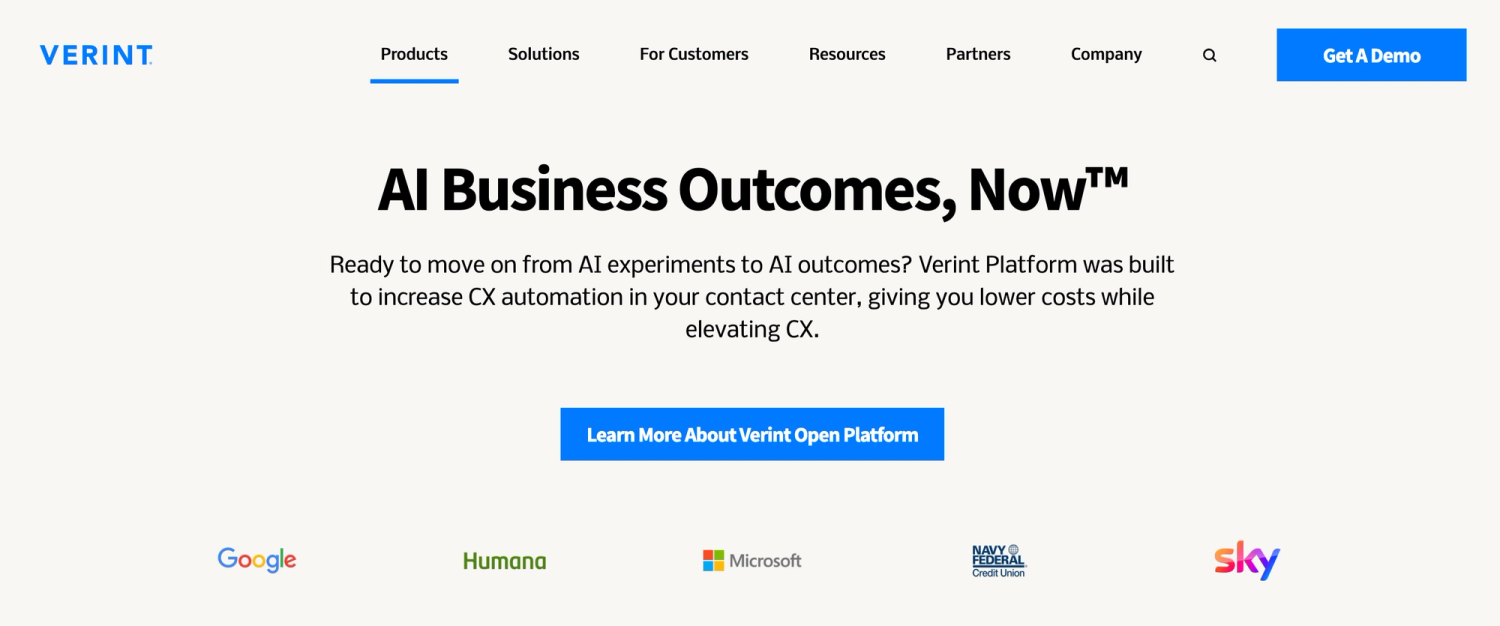
Verint is used by companies in banking, retail, telecommunications, insurance, and more to improve customer service and automate customer support.
Its features include the ability to automate customer service workflows by launching AI bots to support agents in real time, automate tasks, and let agents make scheduling changes without looping in managers or planners.
Verint doesn’t provide pricing information on its website.
3. Talkdesk: Best for Deploying Customer Service AI Agents
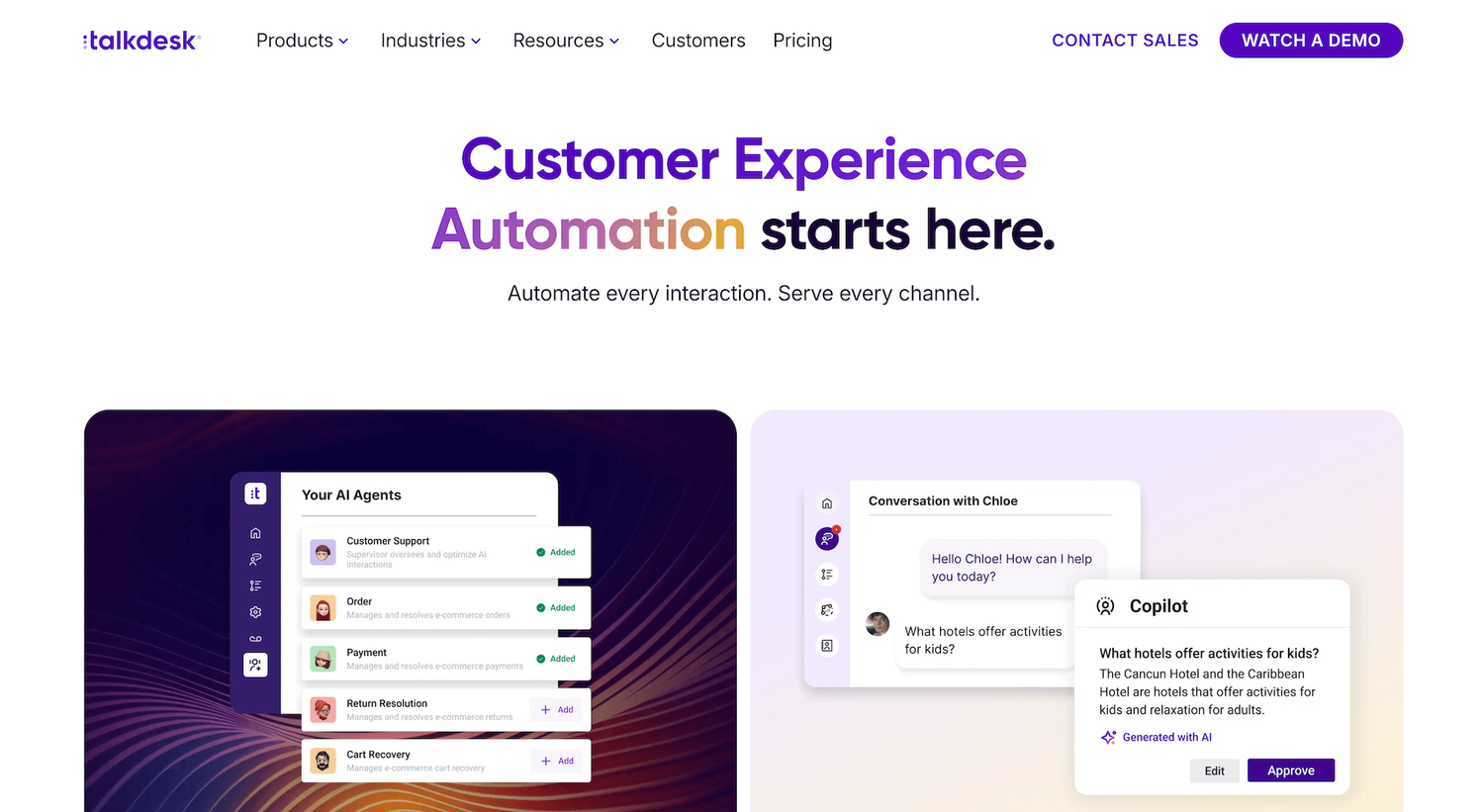
Talkdesk can be used by sales and customer support contact centers in travel and hospitality, utilities, retail, healthcare, financial services, and more.
Its features include an AI-driven outbound dialer for the sales team, AI routing for inbound phone calls, and the ability to use AI to optimize customer journeys across channels.
Talkdesk pricing is determined based on the type of product (Industry Experience or Cloud), add-ons and integrations, plus service options. Plans start at $85 per user per month for CX Cloud editions.
4. Zendesk: Best for Contact Center and Workforce Management
Zendesk is used by teams in retail, financial services, education, government, healthcare, and telecommunications to support contact center agents and manage the contact center team.
Its features for team management include predictive forecasting to streamline agent scheduling, real-time agent performance tracking, and scheduling automation.
Zendesk pricing starts at $19 per user per month (billed annually) for the Support Team Plan. Access to AI features starts at the next-level plan, Suite Team, with $55 per agent per month (also billed annually).
The workforce management capabilities are available as an add-on, at $25 per agent per month, billed annually.
Another add-on Zendesk offers is its AI Copilot, available only on higher-tier plans at $50 per agent per month, billed annually.
5. Dialpad: Best for Combining Team and Customer Communications
Dialpad supports sales and customer team operations across retail, real estate, insurance, recruiting, legal, and other industries.
It provides video calling in addition to chat and voice calls, and uses AI tools to improve agent productivity. Dialpad functionality also includes Dialpad Connect, a team communication platform that can be used to create a single communication center for the team.
Pricing depends on your choice of a solution and your preferred level of support:
- Dialpad Connect plans start at $15 per user per month
- Dialpad Support at $80 per user per month
- Dialpad Sales plans start at $39 per user per month
6. CallMiner: Best for Frontline Agents
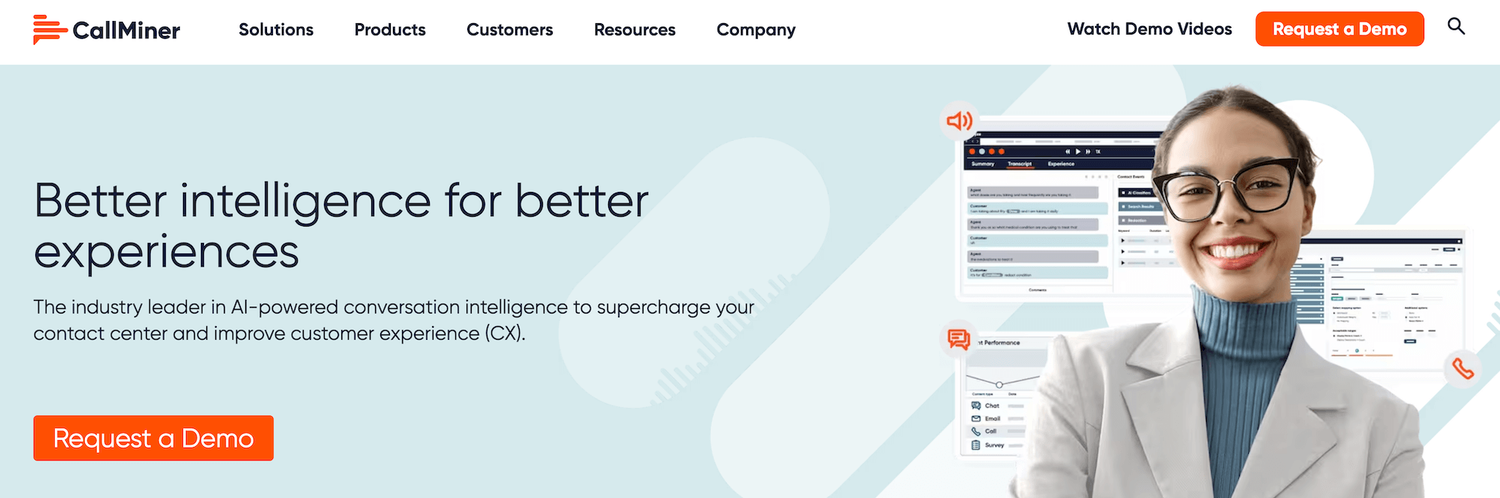
CallMiner manages customer, product, and brand experiences, and is used by sales and customer service teams in healthcare, communications, retail, finance, and other industries.
Primarily, CallMiner offers call handling support for frontline agents.
In addition to helping them stay productive and offering quality management features, CallMiner also helps keep track of employee well-being and simplifies agent training to elevate all agents’ performance.
There’s no information on pricing available on the CallMiner website.
7. ObserveAI: Best for Improving Operational Efficiency
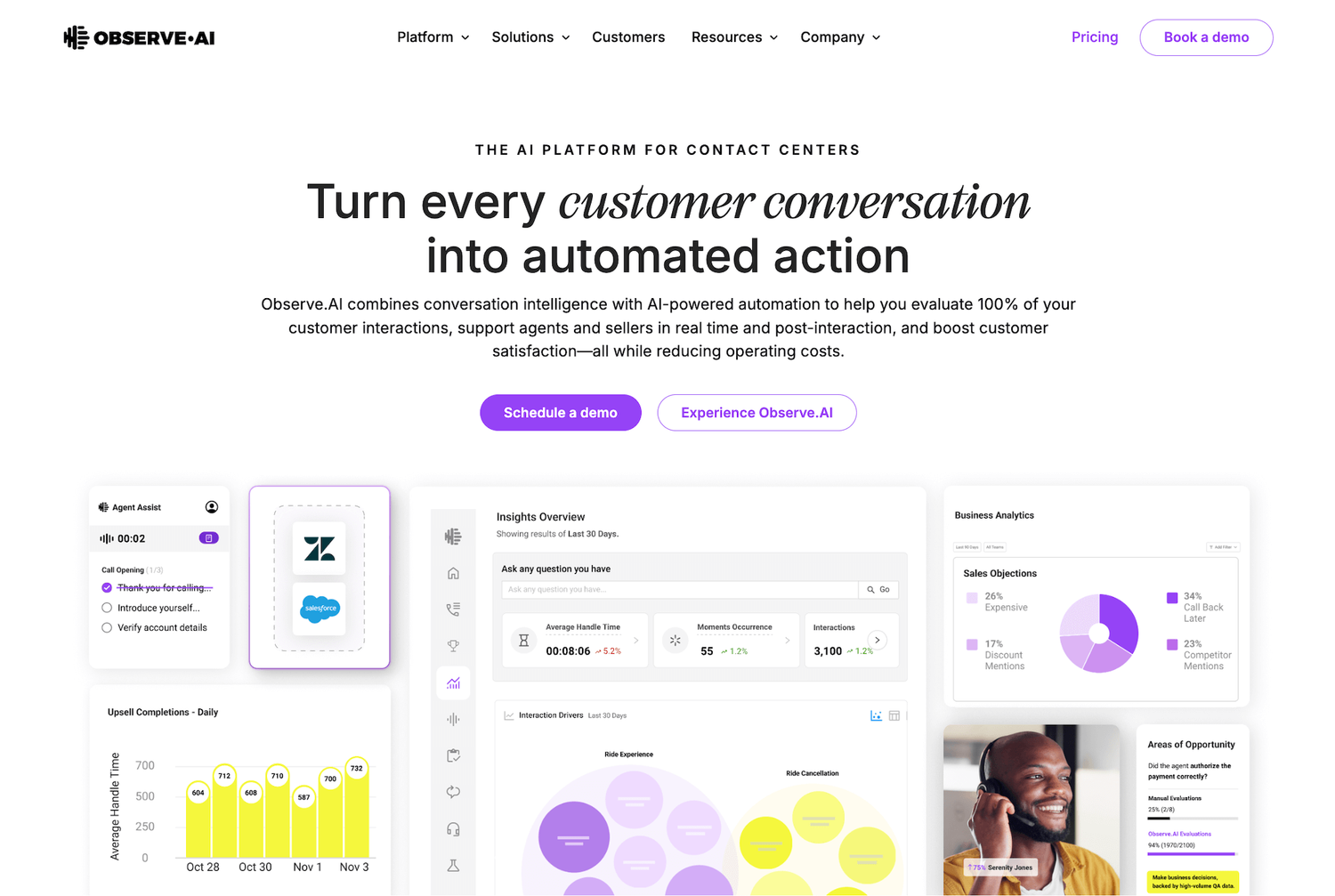
Observe is used by sales and customer support teams in banking, healthcare, and insurance to optimize performance and increase team capacity.
Observe offers AI agents implementation options to improve organizational efficiency and streamline call center operations. The platform also provides support in building an AI implementation blueprint to identify use cases ready for automation and deploy agents for those use cases.
Observe doesn’t provide any pricing information on their website.
8. Enthu: Best for Consumer Brands
Enthu is used by sales and customer support teams in healthcare, financial services, insurance, and utilities.
It helps improve sales productivity and call center performance to handle high call volume and ensure call center agents’ compliance.
Compliance-related and quality management features include tracking compliance with scripts, automated personal data redaction, and alerts when compliance risks are identified.
Enthu doesn’t offer any information on plans or pricing on their website.
9. Gong: Call Quality Monitoring
Gong is an AI-powered call quality monitoring tool that helps businesses analyze customer conversations, monitor agent performance, and improve customer interactions. The platform offers features like AI-powered call recording and transcription, automated conversation analysis, sentiment tracking, keyword monitoring, coaching insights, and performance analytics. Gong is best for support and sales teams looking to improve call quality, agent coaching, and customer experience through conversation intelligence.
Find Out What Quality Looks Like at Scale
Imagine knowing exactly how your agents are performing on every call. Level AI delivers deep visibility into customer interactions so you can train, coach, and optimize at scale.
Schedule a demo today to see how scalable quality assurance at every touchpoint leads to better coaching, smoother operations, and more consistent service.
Frequently Asked Questions
Q1. What is the best call quality monitoring software for contact centers?
A. The best call quality monitoring software depends on your business needs, support workflows, and team size. Popular call center quality monitoring software platforms like Level AI, Gong, Verint, Talkdesk, and Observe.AI offer AI-powered QA automation, sentiment analysis, compliance tracking, and conversation analytics. Businesses looking for advanced call monitoring software often prioritize features like automated scoring, real-time coaching, and speech analytics.
Q2. What does a call monitoring system do in a call center?
A. A call monitoring system helps businesses record, review, and analyze customer conversations to improve service quality and agent performance. Modern call center monitoring software uses AI to automate quality assurance, monitor compliance, track customer sentiment, and provide coaching insights for support teams.
Q3. Can customer service calls be monitored and recorded?
A. Yes, customer service calls are commonly monitored and recorded using call monitoring software for quality assurance, training, compliance, and security purposes. Many businesses use call center quality monitoring software to improve customer interactions, maintain compliance standards, and identify areas where agents need coaching.
Q4. Which call monitoring software is commonly used in BPOs?
A. BPOs frequently use call center monitoring software like Level AI, NICE, Verint, Genesys, Talkdesk, and Observe.AI to automate QA workflows and improve customer experience. These call quality monitoring tools help BPOs analyze conversations, monitor agent performance, and scale quality assurance across large support teams.
Q5. What software are teams using to automate follow-up and maintenance reminder calls?
A. Many businesses use CRM platforms, AI dialers, and tools for automating call quality monitoring to manage follow-up and maintenance reminder calls. Platforms like Talkdesk, Five9, HubSpot, and Aircall combine workflow automation with call monitoring software to streamline customer communication and support operations.
Q6. How do call center managers balance call quality monitoring without hurting agent morale?
A. Many managers use AI-powered call quality monitoring tools to make evaluations more objective and coaching-focused instead of relying on manual reviews alone. Modern call center quality monitoring software helps automate feedback, reduce bias, and identify coaching opportunities without creating unnecessary pressure on agents.
Q7. What are the best software solutions for call center monitoring and QA?
A. The best call center monitoring software for QA includes Level AI, Gong, Verint, NICE, CallMiner, and Observe.AI. These call quality monitoring tools provide automated scoring, sentiment analysis, speech analytics, compliance monitoring, and real-time coaching to improve customer support quality.
Q8. Are customer calls actually monitored for quality assurance and compliance purposes?
A. Yes, many companies actively monitor customer calls using call monitoring software for quality assurance, compliance, training, and security purposes. Modern call center quality monitoring software helps businesses review interactions at scale, improve customer experience, and ensure agents follow company policies and compliance requirements.
Q9. What’s the best call analysis software for MSPs and support teams?
A. MSPs and support teams often use AI-powered call quality monitoring software like Gong, Level AI, and CallMiner to analyze customer conversations, track sentiment, and improve agent coaching. The best call monitoring software depends on whether the primary focus is customer support, sales performance, or operational efficiency
Keep reading
View all