
Key takeaways
Omnichannel contact center software connects voice, email, chat, SMS, and social into one conversation record, so a shopper who starts on chat and calls an hour later never repeats the story. The strongest platforms pair that unified record with an AI virtual agent and quality assurance on the same data
Retail demand arrives in waves. Order status, returns, sizing, and loyalty questions spike during promotions and holiday peaks, and a platform that routes and resolves those contacts across channels absorbs the surge without matching headcount to the spike
Channel count matters less than context continuity. A platform that carries order, CRM, and loyalty context from one channel into the next resolves a WISMO (Where Is My Order) contact end to end, while a disconnected multichannel setup forces the customer to start over
This guide ranks 10 platforms by retail fit: Level AI, NICE CXone, Genesys Cloud CX, Five9, Talkdesk, Salesforce Service Cloud, Zendesk, Sprinklr, Verint, and Amazon Connect
Score every candidate on four dimensions before a pilot: the channels it covers natively, the AI that resolves and measures contacts, the depth of its CRM and order-system integrations, and the reporting that ties automation to CSAT and average handle time. Run the test on your two highest-volume retail intents
What is omnichannel contact center software?
Omnichannel contact center software runs every customer conversation through one system, so voice, email, live chat, SMS, and social messaging share a single record instead of living in separate tools. An agent picking up a call sees the chat the shopper started this morning, the open return ticket, and the order status in one view. That shared context is what separates an omnichannel customer experience from a stack of channels that each work in isolation.
For retail, the value shows up in resolution, not channel breadth. A shopper who asks about a delayed order on chat, then calls to escalate, expects the agent to already know the case. Omnichannel software carries that context across the handoff, applies return and loyalty rules the same way on every channel, and routes each contact to the right queue or AI virtual agent based on intent and priority. Modern platforms add an AI layer on top of this record, which is why the category now overlaps with contact-center-as-a-service (CCaaS) and CX intelligence. The rest of this guide compares the platforms that do it well for retail and ecommerce.
Comparison table for omnichannel contact center software
The table below summarizes retail fit, native channel coverage, and public ratings. Deeper breakdowns follow, starting with how each platform handles omnichannel routing and automation.
Platform | Best for | Core channels | AI strength | Rating (G2) |
Level AI | Enterprise retail wanting AI automation + QA/insights on one data layer | Voice, email, chat, SMS, social | AI virtual agent, automated QA, agent assist, VoC | 4.7 / 5 |
NICE CXone | Large enterprises needing full CCaaS + workforce management | Voice, email, chat, SMS, social, messaging | Enlighten AI, routing, WFM automation | 4.3 / 5 |
Genesys Cloud CX | Enterprises focused on journey orchestration | Voice, email, chat, SMS, social, messaging | Predictive routing and engagement | 4.3 / 5 |
Five9 | Voice-heavy and outbound retail contact centers | Voice, email, chat, SMS, social | AI agents, agent assist | 4.1 / 5 |
Talkdesk | Retailers wanting a purpose-built retail cloud | Voice, email, chat, SMS, social | Autopilot, Copilot, retail workflows | 4.4 / 5 |
Salesforce Service Cloud | Retailers standardized on Salesforce CRM | Voice, email, chat, SMS, social | Agentforce, Einstein | 4.4 / 5 |
Zendesk | SMB and mid-market ticketing-first support | Email, chat, messaging, voice, social | AI agents, resolution automation | 4.3 / 5 |
Sprinklr | Social-first and digital-heavy retail brands | 30+ digital, social, voice, chat | Sprinklr AI+ | 4.3 / 5 |
Verint | QM and workforce-management-heavy operations | Voice, chat, email, messaging | Analytics and QM automation | 4.3 / 5 |
Amazon Connect | AWS-native teams wanting pay-as-you-go flexibility | Voice, chat, email, SMS, tasks | Contact Lens, Amazon Q | 4.3 / 5 |
Top 10 Omnichannel Contact Center Software Platforms
1. Level AI
Level AI runs an AI platform that unifies retail conversations across voice, email, chat, SMS, and social, then resolves and scores them on one conversation data layer. Its AI virtual agent handles order status, returns, and loyalty contacts around the clock and routes complex cases to human agents with full context. The same data that trains the agent also powers quality assurance, coaching, and voice-of-customer analytics, so a sizing complaint or a defective SKU pattern surfaces from live conversations instead of a monthly report. That shared layer is the difference between an omnichannel customer experience that improves over time and a set of channels stitched together after the fact.
What is Level AI best for?
Level AI fits enterprise retail and ecommerce contact centers that run high volume across voice and chat and want automation, QA, coaching, and analytics on one platform rather than four disconnected tools. Retailers with peak-season surges, strict return and credit policies, and audit requirements get the most from the shared data layer, because the same conversation data that resolves a contact also documents compliance and feeds product and process improvement.
What omnichannel capabilities does Level AI offer?
Voice: A voice AI platform with owned transcription resolves and analyzes phone contacts in real time.
Email : Email contacts are scored and routed on the same record as calls and chats.
Live chat : Chat conversations flow into the unified layer, with the virtual agent handling common intents.
SMS :Text conversations carry the same context and policy handling as every other channel.
Social / messaging : WhatsApp and social messaging connect through the integration library and share one customer record.
Video : Level AI does not run native video calling; it ingests and analyzes recorded video or screen sessions captured by a connected CCaaS or meeting tool.
What Are the Key Features of Level AI?
Omnichannel routing : Contacts route by intent, priority, and customer history across voice, chat, email, SMS, and social.
IVR : The virtual agent replaces rigid menu trees with natural-language intent handling, a shift covered in traditional IVR versus AI agents.
AI agents / virtual agents : The AI virtual agent resolves WISMO, returns, and loyalty contacts 24/7 and escalates with context.
Agent assist : Real-time agent assist surfaces policies and next-best actions during live contacts.
Workforce management : Level AI partners with workforce-engagement tools to connect staffing and scheduling to conversation data.
Quality management : Automated QA scores 100% of interactions against your rubrics through quality assurance built for contact centers.
Conversation analytics : Analytics turn every interaction into searchable, categorized data.
CRM integrations : The platform reads and writes order, customer, and case data through supported connectors during a live contact.
How does Level AI use AI across the contact center?
AI voice agents :Low-latency voice agents resolve calls without borrowed transcription.
Conversational AI : Conversational AI reasons across a task and completes the action, rather than returning a scripted reply.
Agent assist : Live suggestions cut research time on complex retail calls.
Automated QA : Every conversation gets scored, so operations catch failures instead of sampling 2% of calls.
AI summaries : After-call summaries write the wrap-up so agents spend less time on notes.
Sentiment analysis : Sentiment analysis flags frustration and churn risk on live and reviewed contacts.
Predictive analytics : Voice-of-customer insights surface defect patterns and retention signals before they reach a survey.
What integrations does Level AI support?
Level AI connects to Salesforce, Zendesk, HubSpot, Microsoft Dynamics, and Slack or Teams, and plugs into the wider contact center stack through its integration library and open APIs. The platform meets GDPR, HIPAA, PCI, ISO 27001, and SOC 2 requirements, which matters for retailers handling payment and personal data at scale.
2. NICE CXone
NICE CXone runs a full cloud contact center suite built around routing and workforce management, now sold under the CXone Mpower name. Its Enlighten AI models score interactions, forecast staffing, and surface coaching opportunities on the same platform that handles the contact, which suits large retail operations that want CCaaS and workforce optimization from a single vendor rather than two.
What is NiceCXone best for?
NICE CXone fits large enterprise retailers running high volume across voice and digital channels that want contact routing, workforce management, and quality scoring in one contract. Retailers with complex skill-based routing needs and large seasonal workforces get the most from its forecasting and scheduling depth.
What are the omnichannel capabilities of NiceCXone?
Voice — ACD-based voice routing with Enlighten AI scoring runs on the core CXone platform.
Email — Email routes through the same digital queue as chat and messaging, with SLA-based prioritization.
Live chat — Chat sits inside CXone Digital, sharing routing rules with voice.
SMS — Text conversations route through the same digital engagement layer as chat and email.
Social / messaging — WhatsApp, Facebook Messenger, and Apple Messages for Business connect through CXone Digital.
Video — CXone offers video engagement as an add-on channel, mainly for scheduled or escalated visual support rather than a default queue.
What Are the Key Features of NiceCXOne?
Omnichannel routing — Skills-based ACD routing spans voice and digital channels from one queue.
IVR — Enlighten-based conversational IVR replaces static menu trees for common intents.
AI agents / virtual agents — CXone AI Agents handle voice and digital bot flows for routine contacts.
Agent assist — Enlighten Copilot surfaces suggested responses and knowledge during live contacts.
Workforce management — The CXone WEM suite covers forecasting, scheduling, and adherence, a category strength for NICE.
Quality management — Enlighten AI Quality Optimization scores interactions against configurable rubrics.
Conversation analytics — Interaction Analytics categorizes calls and digital contacts by topic and outcome.
CRM integrations — Prebuilt connectors sync case and customer data with major CRM systems during live contacts.
What AI capabilities does NiceCXone offer?
AI voice agents — Enlighten-powered voice bots resolve routine calls without a human handoff.
Conversational AI — Enlighten Copilot and digital bots handle intent-based conversations across channels.
Agent assist — Real-time guidance surfaces next-best actions and relevant knowledge articles.
Automated QA — Enlighten AI Quality Optimization scores a configurable share of interactions automatically.
AI summaries — Auto Summary generates after-call wrap-ups from the conversation transcript.
Sentiment analysis — Enlighten scores sentiment across voice and digital interactions.
Predictive analytics — Enlighten AI forecasting feeds staffing predictions and predictive routing decisions.
What integrations does NiceCXOne support?
NICE CXone connects to Salesforce, Microsoft Dynamics, Zendesk, and HubSpot through prebuilt connectors, plus Slack and Teams for internal escalation. The CXexchange marketplace and DEVone developer program cover custom systems through open APIs.
3. Genesys Cloud CX
Genesys Cloud CX centers on journey orchestration across voice, email, chat, SMS, social, and messaging, with predictive routing matching each contact to the best-fit agent or bot. Predictive engagement targets web interactions before a shopper reaches out, which suits retailers that treat the cross-channel journey as the unit of design rather than the individual contact. Level AI's Genesys partnership layers CX intelligence on top of that routing foundation.
What Is Genesys Cloud CX Best For?
Genesys Cloud CX fits enterprises that want to design and measure the full customer journey across channels, rather than handle each contact as a standalone event. Retailers running large, distributed agent populations across regions get the most from its journey mapping and predictive engagement tools.
What Are the Omnichannel Capabilities of Genesys Cloud CX?
Voice — Native voice handling covers inbound, outbound, and blended queues.
Email — Email routes through the same digital channel engine as chat and messaging.
Live chat — Web chat integrates with journey tracking, so agents see the visitor's path before the conversation starts.
SMS — Text messaging shares routing and reporting with the other digital channels.
Social / messaging — WhatsApp, Facebook Messenger, Apple Messages for Business, and X connect natively.
Video — Genesys Cloud runs native video engagement for scheduled consultations and escalated visual support.
What Are the Key Features of Genesys Cloud CX?
Omnichannel routing — Predictive routing matches each contact to the agent or bot most likely to resolve it.
IVR — Genesys Dialog Engine Bot Flows handle conversational IVR alongside traditional menu-based flows.
AI agents / virtual agents — Digital and voice bots built on Genesys Cloud AI resolve routine contacts.
Agent assist — Agent Copilot suggests responses and surfaces knowledge during live conversations.
Workforce management — Genesys WEM covers forecasting, scheduling, and performance management.
Quality management — Genesys Cloud QM applies automated scoring across recorded interactions.
Conversation analytics — Speech and text analytics categorize interactions by topic, outcome, and sentiment.
CRM integrations — Salesforce, Zendesk, and Microsoft Dynamics connectors sync case data during live contacts.
What AI Capabilities Does Genesys Cloud CX Offer?
AI voice agents — Genesys voice bots handle routine calls and hand off with context when needed.
Conversational AI — Bot Flows and AI Experience Orchestration manage intent-based conversations across channels.
Agent assist — Agent Copilot delivers response suggestions and relevant articles in real time.
Automated QA — Genesys Cloud QM scores interactions against configurable evaluation forms automatically.
AI summaries — Wrap-up summaries generate from the conversation transcript after each contact.
Sentiment analysis — Genesys sentiment analytics score interactions across voice and digital channels.
Predictive analytics — Predictive Engagement and Predictive Routing act on customer behavior and agent fit before and during a contact.
What Integrations Does Genesys Cloud CX Support?
Genesys Cloud CX connects to Salesforce, Zendesk, Microsoft Dynamics, and HubSpot through the AppFoundry marketplace, plus Slack and Teams for agent collaboration. Open APIs cover custom order management and commerce systems.
4. Five9
Five9 runs a cloud contact center with deep roots in voice and outbound, extending to email, chat, SMS, and social alongside phone. Retail teams that run heavy call volume and outbound campaigns get a mature dialer and routing engine, plus an intelligent virtual agent and agent assist built on the same platform. Level AI's Five9 partnership adds automated QA and coaching on the conversations Five9 handles.
What Is Five9 Best For?
Five9 fits voice-heavy and outbound-focused retail contact centers, including collections, appointment reminders, and proactive order updates alongside inbound support. Retailers that need a mature predictive dialer next to standard inbound routing get the most from its voice engineering.
What Are the Omnichannel Capabilities of Five9?
Voice — Inbound, outbound, and blended voice run on Five9's core telephony engine with a predictive dialer.
Email — Email routes through Five9 Digital Engagement alongside chat and social.
Live chat — Web chat shares the same universal queue as voice and other digital channels.
SMS — Text conversations route through the same digital engagement layer.
Social / messaging — Social and messaging channels connect through Five9 Digital Engagement and partner integrations.
Video — Five9 does not run a native video channel; visual support typically routes through a connected screen-share or WEM partner tool.
What Are the Key Features of Five9?
Omnichannel routing — Universal Queue routes contacts across voice and digital channels by skill and priority.
IVR — Five9 Studio builds IVR flows, with Intelligent Virtual Agent handling natural-language intents.
AI agents / virtual agents — The Five9 IVA resolves routine voice and digital contacts before escalation.
Agent assist — Five9 Agent Assist surfaces guidance and next-best actions during live calls.
Workforce management — Five9 WFM covers forecasting, scheduling, and intraday management.
Quality management — Five9 Quality Management applies AI-based scoring to recorded interactions.
Conversation analytics — Five9 Conversation Analytics categorizes calls by topic, compliance flag, and outcome.
CRM integrations — Salesforce, Zendesk, and Microsoft Dynamics connectors sync customer and case data live.
What AI Capabilities Does Five9 Offer?
AI voice agents — The Five9 IVA handles voice contacts end to end for common intents.
Conversational AI — Five9 Genius AI powers intent recognition across voice and digital channels.
Agent assist — Real-time suggestions and next-best-action prompts appear during the call.
Automated QA — AI-based quality scoring evaluates a configurable share of interactions automatically.
AI summaries — Post-call summaries generate from the transcript to cut after-call work.
Sentiment analysis — Real-time sentiment scoring flags frustration during live calls.
Predictive analytics — Predictive dialing and WFM forecasting apply historical patterns to staffing and outbound pacing.
What Integrations Does Five9 Support?
Five9 connects to Salesforce, Zendesk, Microsoft Dynamics, and ServiceNow through prebuilt connectors, with Slack available for internal alerts. The Five9 AppFactory marketplace and open APIs cover custom commerce and order systems.
5. Talkdesk
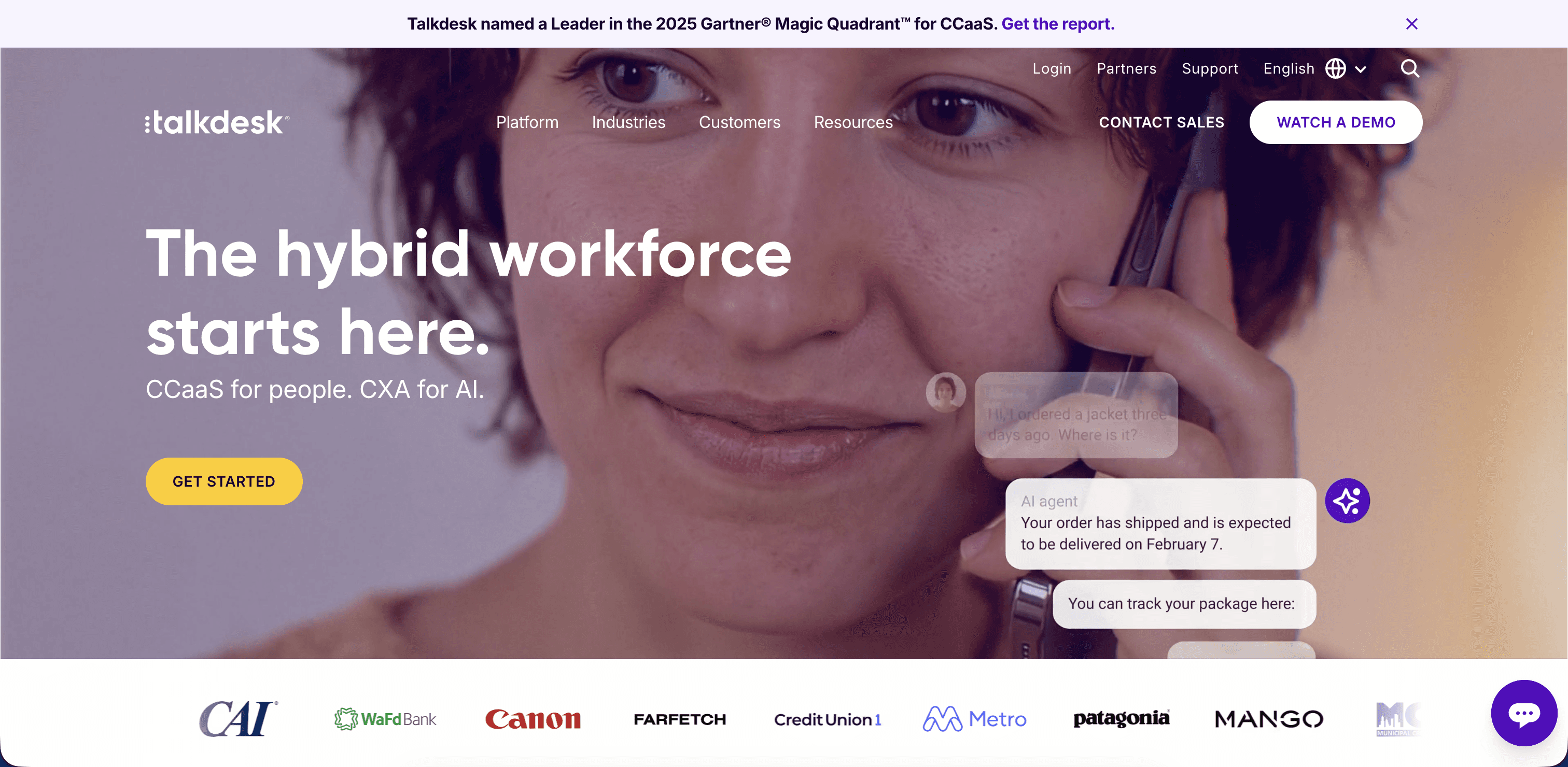
Talkdesk ships a cloud CCaaS with a purpose-built retail offering that maps workflows to order management, returns, and store operations across voice, email, chat, SMS, and social. Its Autopilot virtual agent and Copilot agent assist target retail intents directly, which shortens the build for teams that want retail patterns out of the box rather than a generic platform to configure. Buyers weighing it should still measure resolution quality against real retail AI agent use cases.
What Is Talkdesk Best For?
Talkdesk fits retailers that want retail-specific workflows, like buy-online-pickup-in-store status checks and order-level returns, without building them from a blank platform. Mid-market to enterprise retailers already using Shopify or a major commerce platform get the fastest path to value.
What Are the Omnichannel Capabilities of Talkdesk?
Voice — Talkdesk's core CCaaS runs inbound, outbound, and blended voice with Autopilot voice bots.
Email — Email routes through Talkdesk Digital Connect alongside chat and messaging.
Live chat — Web chat shares routing and Autopilot handling with the other digital channels.
SMS — Text conversations route through the same digital engagement engine.
Social / messaging — WhatsApp, Facebook Messenger, and Apple Business Chat connect through Digital Connect.
Video — Talkdesk does not run a native video queue; visual support typically routes through a connected tool.
What Are the Key Features of Talkdesk?
Omnichannel routing — Talkdesk's routing engine matches contacts to agents or bots by skill, intent, and priority.
IVR — Talkdesk Studio builds visual IVR flows, with Autopilot handling natural-language intents.
AI agents / virtual agents — Autopilot resolves order status, returns, and loyalty contacts across voice and chat.
Agent assist — Talkdesk Copilot surfaces suggested responses and account context during live contacts.
Workforce management — Talkdesk Workforce Management covers forecasting, scheduling, and adherence.
Quality management — Talkdesk QM applies generative-AI scoring to recorded and digital interactions.
Conversation analytics — Talkdesk Interaction Analytics categorizes conversations by topic and outcome.
CRM integrations — Salesforce, Zendesk, and commerce-platform connectors sync order and customer data live.
What AI Capabilities Does Talkdesk Offer?
AI voice agents — Autopilot voice agents resolve WISMO and returns contacts without a queue wait.
Conversational AI — Autopilot handles intent-based conversations across voice and digital channels.
Agent assist — Copilot delivers real-time suggestions and policy lookups during live contacts.
Automated QA — Talkdesk QM scores interactions automatically against configurable rubrics.
AI summaries — Copilot generates after-call summaries from the conversation transcript.
Sentiment analysis — Talkdesk scores sentiment across voice and digital contacts.
Predictive analytics — Talkdesk AI Trainer applies historical data to bot tuning and staffing forecasts.
What Integrations Does Talkdesk Support?
Talkdesk connects to Salesforce, Zendesk, Shopify, and Microsoft Dynamics through prebuilt connectors, with the Shopify tie-in built specifically for retail order and returns workflows. The Talkdesk AppConnect marketplace and open APIs cover custom systems.
6. Salesforce Service Cloud
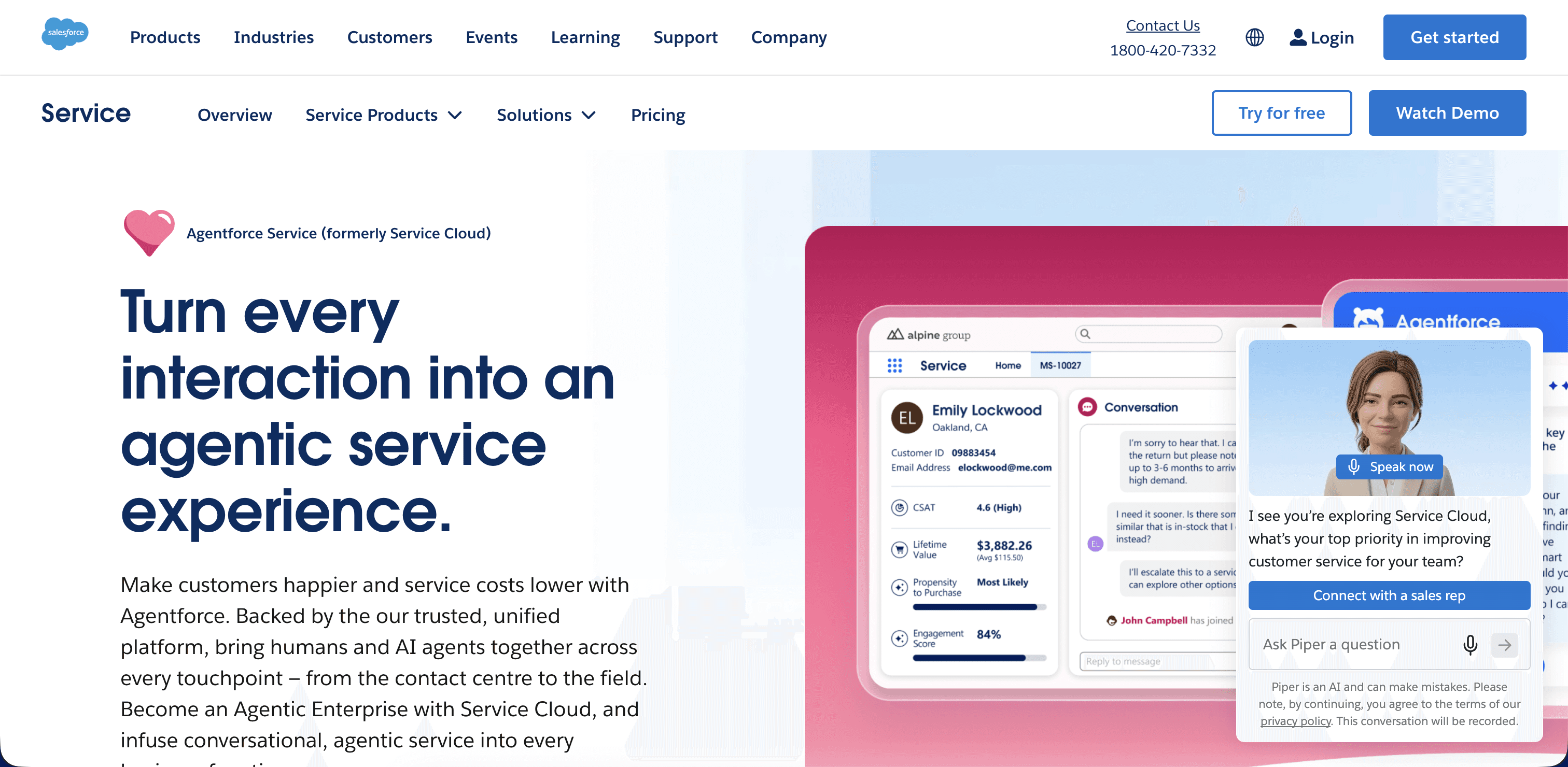
Salesforce Service Cloud runs omnichannel service natively on the Salesforce CRM, covering voice through Service Cloud Voice, plus email, chat, SMS, and social. Its advantage is data proximity, since the agent works inside the same system that holds the customer, order, and case record. Retailers already standardized on Salesforce get the tightest CRM tie-in, and the role of CRM in the 2026 contact center explains why that proximity matters for resolution.
What Is Salesforce Service Cloud Best For?
Salesforce Service Cloud fits retailers already running Salesforce as their CRM and commerce system of record, where service, sales, and order data already live in one place. Teams that want AI agents built on their existing CRM data model, rather than a separate contact center platform, get the most from this proximity.
What Are the Omnichannel Capabilities of Salesforce Service Cloud?
Voice — Service Cloud Voice runs telephony inside Salesforce, built on Amazon Connect infrastructure.
Email — Email-to-case routing ties every email thread to the customer record automatically.
Live chat — Messaging for Web and in-app chat route through the same Omni-Channel engine as voice.
SMS — Text conversations route through Digital Engagement alongside chat and social.
Social / messaging — WhatsApp, Facebook Messenger, and Apple Messages for Business connect through Digital Engagement.
Video — Service Cloud does not run a native video channel; visual support typically connects through a partner app on AppExchange.
What Are the Key Features of Salesforce Service Cloud?
Omnichannel routing — The Omni-Channel engine routes cases across voice and digital channels by skill and priority.
IVR — Service Cloud Voice IVR handles call routing before an agent or Agentforce agent picks up.
AI agents / virtual agents — Agentforce runs autonomous agents that resolve cases and hand off with full context.
Agent assist — Einstein Copilot for Service surfaces case summaries and suggested replies during live contacts.
Workforce management — Workforce scheduling runs through AppExchange partner apps rather than a native module.
Quality management — Einstein Conversation Insights scores conversations against configurable criteria.
Conversation analytics — Einstein Conversation Insights categorizes calls and digital contacts by topic and outcome.
CRM integrations — Service runs on native Salesforce data, so case, order, and customer records share one system by default.
What AI Capabilities Does Salesforce Service Cloud Offer?
AI voice agents — Agentforce voice agents handle routine calls within Service Cloud Voice.
Conversational AI — Agentforce reasons across CRM data to resolve cases rather than returning scripted replies.
Agent assist — Einstein Copilot suggests replies, summarizes cases, and surfaces relevant knowledge articles.
Automated QA — Einstein Conversation Insights applies automated scoring to recorded interactions.
AI summaries — Einstein generates case and call summaries directly in the case record.
Sentiment analysis — Einstein scores sentiment across calls and digital cases.
Predictive analytics — Einstein Prediction Builder and case classification flag risk and routing priority from CRM data.
What Integrations Does Salesforce Service Cloud Support?
Service Cloud runs on native Salesforce data, which covers most CRM needs by default, and connects to HubSpot, Microsoft Dynamics, and Slack (a Salesforce product) through supported connectors. The AppExchange marketplace and MuleSoft-based APIs cover custom order and commerce systems.
7. Zendesk
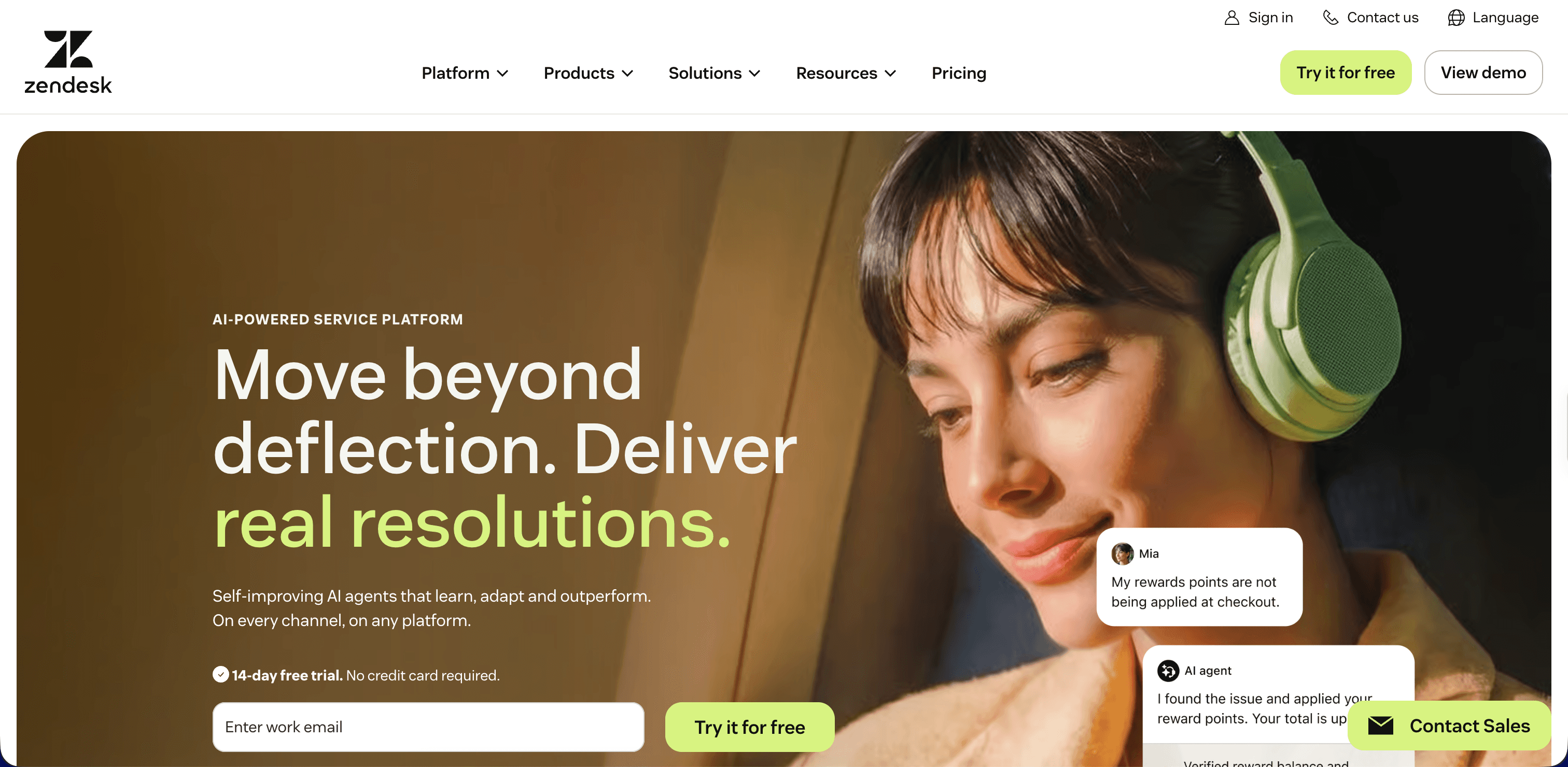
Zendesk built its omnichannel service around ticketing, then added messaging, live chat, voice, email, and social on top. It suits SMB and mid-market retailers that want fast setup and a clean agent workspace more than deep enterprise routing. Its AI agents resolve common contacts and deflect repetitive tickets, and buyers comparing bot depth often review the field of customer service chatbots first.
What Is Zendesk Best For?
Zendesk fits SMB and mid-market retailers that want a ticketing-first omnichannel workspace they can configure quickly, without a long enterprise implementation. Ecommerce brands running Shopify or a similar commerce platform get the fastest setup because of the native storefront context in each ticket.
What Are the Omnichannel Capabilities of Zendesk?
Voice — Zendesk Talk runs inbound and outbound calling inside the same workspace as tickets.
Email — Email is the platform's original channel, with every message converting into a trackable ticket.
Live chat — Web Widget chat routes into the same unified ticket queue as email and messaging.
SMS — Text messaging routes through Zendesk's messaging layer alongside social channels.
Social / messaging — WhatsApp, Instagram, Facebook Messenger, and X connect through Zendesk messaging.
Video — Zendesk does not run a native video channel; visual support typically connects through a marketplace app.
What Are the Key Features of Zendesk?
Omnichannel routing — Omnichannel routing assigns tickets across channels by skill, priority, and capacity.
IVR — Zendesk Talk IVR handles call routing before an agent or AI agent picks up.
AI agents / virtual agents — Zendesk AI agents, built on its Ultimate.ai acquisition, resolve common tickets across channels.
Agent assist — Agent Copilot suggests replies and surfaces relevant macros and articles during a ticket.
Workforce management — Zendesk WFM, added through its Tymeshift acquisition, covers forecasting and scheduling.
Quality management — Zendesk QA, built on its Klaus acquisition, scores tickets and calls automatically.
Conversation analytics — Zendesk Explore and Zendesk QA insights categorize interactions by topic and outcome.
CRM integrations — Shopify, Salesforce, and HubSpot connectors sync order and customer data into the ticket.
What AI Capabilities Does Zendesk Offer?
AI voice agents — Zendesk's voice AI agents are newer and cover a narrower set of intents than its chat agents.
Conversational AI — Zendesk AI agents handle intent-based conversations across chat, email, and messaging.
Agent assist — Agent Copilot drafts replies and pulls relevant knowledge into the ticket view.
Automated QA — Zendesk QA scores a configurable share of tickets and calls automatically.
AI summaries — Ticket summaries generate from long threads to speed up handoffs.
Sentiment analysis — Zendesk QA flags sentiment and risk across scored conversations.
Predictive analytics — Zendesk's Advanced AI add-on predicts intent and routes tickets before an agent opens them.
What Integrations Does Zendesk Support?
Zendesk connects to Shopify, Salesforce, HubSpot, and Slack through native and marketplace apps, which suits ecommerce teams running their storefront on Shopify. The Zendesk Marketplace and open APIs cover custom order and loyalty systems.
8. Sprinklr
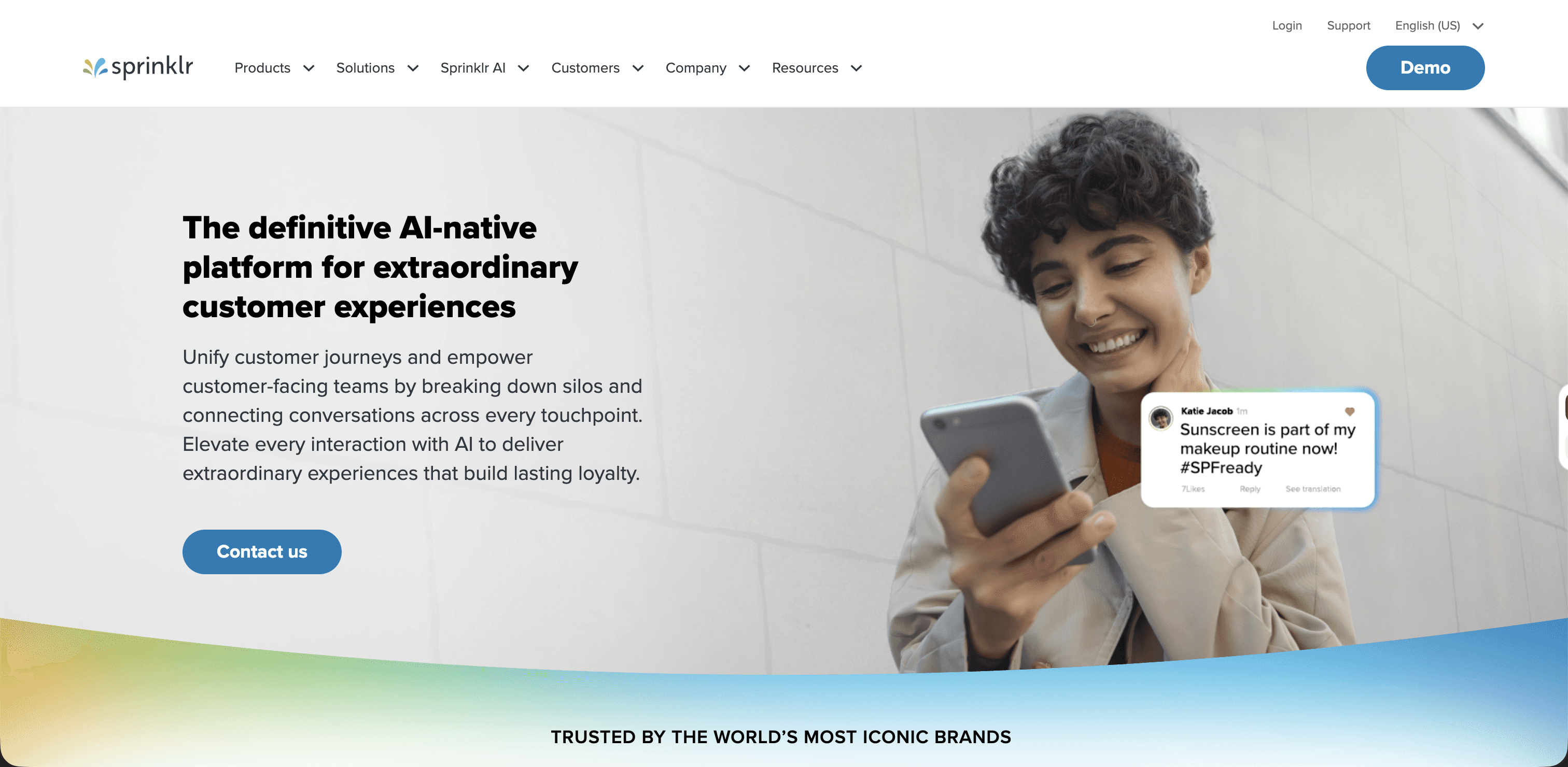
Sprinklr runs a unified customer experience management platform with unusually broad channel coverage, spanning 30-plus digital and social channels alongside voice and chat. Retail brands with heavy social and messaging volume use it to manage service, marketing, and social engagement in one place. Its analytics lean on listening and sentiment analysis across public and private channels.
What Is Sprinklr Best For?
Sprinklr fits social-first and digital-heavy retail brands that manage customer service, social listening, and marketing engagement from the same team and want one platform across all three. Retailers with high public-channel volume, like brand mentions and reviews, get the most from its listening breadth.
What Are the Omnichannel Capabilities of Sprinklr?
Voice — Sprinklr Contact Center handles inbound and outbound voice alongside its digital channels.
Email — Email routes through the same unified inbox as chat and social messaging.
Live chat — Web chat integrates with the broader digital engagement suite.
SMS — Text conversations route through the same unified channel layer as chat and social.
Social / messaging — Sprinklr's core strength covers 30-plus channels, including every major social and messaging platform.
Video — Video-based engagement is available in select plans, mainly for social and marketing use cases rather than a core support channel.
What Are the Key Features of Sprinklr?
Omnichannel routing — Conversational routing spans all connected channels, including social and messaging, from one queue.
IVR — Sprinklr Voice IVR handles call routing within its contact center module.
AI agents / virtual agents — Sprinklr AI+ bots resolve routine contacts across chat, messaging, and social.
Agent assist — Sprinklr AI+ surfaces suggested responses and relevant context during live contacts.
Workforce management — Sprinklr WFM covers forecasting and scheduling within the broader platform.
Quality management — Sprinklr AI+ QA scores interactions across voice, chat, and social channels.
Conversation analytics — Sprinklr Insights categorizes conversations and public mentions by topic and sentiment.
CRM integrations — Salesforce and Microsoft Dynamics connectors sync customer data into the unified inbox.
What AI Capabilities Does Sprinklr Offer?
AI voice agents — Sprinklr AI+ extends to voice bots within the contact center module.
Conversational AI — Sprinklr AI+ handles intent-based conversations across its full channel footprint.
Agent assist — Real-time suggestions and context surface during live contacts across channels.
Automated QA — Sprinklr AI+ QA scores a configurable share of interactions automatically.
AI summaries — Case and conversation summaries generate from the interaction history.
Sentiment analysis — Sentiment scoring across public and private channels is a defining strength of the platform.
Predictive analytics — Trend and intent prediction draw on listening data across social, messaging, and support channels.
What Integrations Does Sprinklr Support?
Sprinklr connects to Salesforce, Microsoft Dynamics, and Zendesk through prebuilt connectors, with Slack available for internal escalation. Open APIs cover custom commerce and loyalty systems, alongside its native social and messaging platform connections.
9. Verint

Verint focuses on workforce engagement and quality management, with omnichannel handling across voice, chat, email, and messaging, and it often layers onto an existing CCaaS rather than replacing the telephony platform. Retailers with large agent populations and strict quality programs use it for interaction analytics, forecasting, and QM automation. Teams weighing analytics depth against automation often compare Level AI and Verint side by side.
What Is Verint Best For?
Verint fits large retail operations that already run a CCaaS for routing and telephony and want a dedicated layer for workforce management, quality scoring, and interaction analytics on top of it. Retailers with strict compliance and coaching programs get the most from its QM depth.
What Are the Omnichannel Capabilities of Verint?
Voice — Verint analyzes and scores voice interactions captured from a connected CCaaS.
Email — Email threads route into the same analytics and QM layer as voice and chat.
Live chat — Chat transcripts feed the same scoring and analytics engine as voice.
SMS — Text conversations captured through a connected platform feed into Verint's analytics layer.
Social / messaging — Verint Messaging and its IVA extend coverage to WhatsApp and other messaging channels.
Video — Verint does not run a native video channel; it typically analyzes video or screen sessions captured elsewhere.
What Are the Key Features of Verint?
Omnichannel routing — Verint layers onto an existing CCaaS's routing rather than owning the queue itself, with its IVA adding intent-based routing.
IVR — The Verint Intelligent Virtual Assistant replaces static IVR menus with natural-language handling.
AI agents / virtual agents — Verint IVA resolves routine contacts and hands off to agents with context.
Agent assist — Verint Real-Time Agent Assist surfaces guidance and compliance prompts during live contacts.
Workforce management — Verint WFM is a long-standing category leader for forecasting, scheduling, and adherence.
Quality management — Verint Automated Quality Management scores interactions against configurable rubrics, another category strength.
Conversation analytics — Verint Interaction Analytics categorizes calls and digital contacts by topic and compliance risk.
CRM integrations — Salesforce and Microsoft Dynamics connectors sync case data with the analytics and QM layer.
What AI Capabilities Does Verint Offer?
AI voice agents — Verint IVA voice bots resolve routine calls within a connected CCaaS.
Conversational AI — Verint IVA handles intent-based conversations across voice and messaging.
Agent assist — Real-Time Agent Assist delivers compliance and next-best-action prompts during live contacts.
Automated QA — Verint Automated Quality Management scores a high share of interactions without manual sampling.
AI summaries — Verint auto-summarization generates wrap-ups from the interaction transcript.
Sentiment analysis — Verint sentiment analytics score interactions across voice and digital channels.
Predictive analytics — Verint's Da Vinci AI powers forecasting and predictive behavioral routing.
What Integrations Does Verint Support?
Verint connects to Salesforce and Microsoft Dynamics through prebuilt connectors, and to major CCaaS platforms including NICE, Genesys, Five9, and Amazon Connect, since it typically runs as an analytics and workforce layer on top of an existing telephony system. Open APIs cover custom systems.
10. Amazon Connect
Amazon Connect runs a pay-as-you-go cloud contact center inside AWS, covering voice, chat, email, SMS, and task routing. Its flexibility suits engineering-led retail teams that want to build custom flows and pay only for usage rather than per-seat licensing. Contact Lens adds analytics and QM, and Amazon Q brings generative assistance, a step beyond the rigid menus described in traditional IVR versus AI agents.
What Is Amazon Connect Best For?
Amazon Connect fits AWS-native retail engineering teams that want to build custom contact flows and pay for actual usage rather than per-agent licensing. Retailers with in-house development resources get the most from its low-level configurability and native AWS service connections.
What Are the Omnichannel Capabilities of Amazon Connect?
Voice — Native voice handling covers inbound and outbound calling with visual contact-flow design.
Email — Email routing connects through Amazon Connect Email or an SES-based integration.
Live chat — Chat runs through the Amazon Connect Chat SDK, embeddable in a retailer's own site or app.
SMS — Text messaging routes through the same contact-flow engine as voice and chat.
Social / messaging — Social and messaging channels typically connect through third-party integrations rather than a native module.
Video — Video support connects through the Amazon Chime SDK rather than a native Connect channel.
What Are the Key Features of Amazon Connect?
Omnichannel routing — Routing profiles and queues direct contacts across voice, chat, and digital channels.
IVR — Visual contact flows build IVR logic, with Amazon Lex adding natural-language intent handling.
AI agents / virtual agents — Amazon Q in Connect and Lex-based bots resolve routine voice and chat contacts.
Agent assist — Amazon Q Agent Assist surfaces suggested responses and knowledge during live contacts.
Workforce management — Amazon Connect Forecasting, Capacity Planning, and Scheduling cover staffing natively.
Quality management — Contact Lens applies automated evaluation forms to recorded interactions.
Conversation analytics — Contact Lens categorizes calls and chats by topic, sentiment, and compliance flag.
CRM integrations — AppIntegrations connects Salesforce, Zendesk, and ServiceNow data into the agent workspace.
What AI Capabilities Does Amazon Connect Offer?
AI voice agents — Amazon Lex and Amazon Q power voice bots that resolve routine calls.
Conversational AI — Amazon Lex handles intent-based conversations across voice and chat.
Agent assist — Amazon Q in Connect suggests responses and pulls relevant knowledge in real time.
Automated QA — Contact Lens applies automated evaluation forms without manual sampling.
AI summaries — Contact Lens generates post-contact summaries from the transcript.
Sentiment analysis — Contact Lens scores sentiment in real time during voice and chat contacts.
Predictive analytics — Connect Forecasting and Amazon Q insights apply historical patterns to staffing and routing.
What Integrations Does Amazon Connect Support?
Amazon Connect connects to Salesforce, Zendesk, and ServiceNow through AppIntegrations, alongside native AWS services like Lambda, S3, and Amazon Q. Open APIs and AWS SDKs cover custom order and commerce systems for teams building their own extensions.
What is omnichannel vs multichannel vs cross-channel?
The three terms describe increasing levels of connection between channels. Multichannel means a retailer offers several ways to reach support, such as phone, email, and chat, but each runs in its own tool with its own history. An agent on the phone cannot see the chat the shopper sent an hour ago, so the customer repeats the story. Multichannel adds reach without adding continuity.
Cross-channel connects some of those channels so a contact can move between them, for example a chat that transfers to a call while keeping the conversation thread. Omnichannel goes further and unifies every channel on one record, so context, identity, and policy handling stay consistent no matter how the customer arrives or switches. An omnichannel customer experience means the shopper never starts over, and the business sees one continuous conversation instead of fragments scattered across systems.
What are the Core capabilities of omnichannel contact center software?
A retail-ready platform needs a specific set of capabilities working together. The core list looks like this.
Omnichannel routing — Contacts route by intent, priority, language, and customer history to the right agent or bot across every channel.
IVR and virtual agents — Natural-language handling replaces rigid menus and resolves common intents before a human is needed.
Agent assist — Live guidance surfaces policies, account context, and next-best actions during the contact.
Workforce management — Forecasting and scheduling match staffing to demand, including peak-season surges.
Quality management — Automated scoring evaluates interactions across channels instead of a small manual sample.
Conversation analytics — Conversation analytics categorize and search every interaction, so defect and intent patterns surface fast.
CRM and order integration — Live read and write access to customer, order, and case systems lets the platform resolve a contact rather than describe it.
These capabilities compound when they run on one data layer. Automated QA that scores the same conversations the virtual agent handles catches failures the moment accuracy drops, which is harder when quality, routing, and analytics live in separate products.
How the platform unifies CRM, ticketing, knowledge base, and other systems?
Unification depends on the platform reading and writing the systems that hold the truth about a customer. During a live retail contact, the platform pulls the order record from the commerce system, the case history from the ticketing tool, the profile and loyalty status from the CRM, and the answer from the knowledge base, then writes the resolution back so every system stays current. When that works, an agent or virtual agent resolves a return without switching tabs or asking the shopper to confirm details the systems already hold.
The mechanism is the integration layer. Prebuilt connectors handle common systems like Salesforce, Zendesk, HubSpot, Microsoft Dynamics, and Shopify, and open APIs cover the rest, including homegrown order platforms. Before you commit, walk through the integrations each vendor offers and confirm live, bidirectional access to the systems that matter, because a read-only connection that cannot write the resolution back leaves agents doing manual updates. A practical integrations checklist keeps that evaluation honest.
Implementing and optimizing your omnichannel contact center
A rollout succeeds when it follows a sequence rather than turning on every channel at once. The steps below map the path Level AI CX teams use with retail customers, and a fuller version lives in the guide to setting up a contact center.
Define your customer journey and channels — Map how retail shoppers actually move, from a chat about sizing to a call about a delayed order, and pick the channels that carry real volume rather than every channel available.
Map use cases and automation opportunities — Rank your top retail intents by volume, then decide which ones a virtual agent should resolve and which need a human. WISMO, returns, and loyalty questions are usually the first automation candidates.
Integrate your CRM and contact center systems — Connect the CRM, order management, ticketing, and knowledge base so context follows the customer, and confirm the platform can write resolutions back.
Set up routing, workflows, and escalation rules — Route by intent and priority, define when the virtual agent hands off, and give agents the full history at the moment of escalation.
Establish quality and performance benchmarks — Baseline resolution rate, CSAT, and average handle time before launch, then score interactions with automated QA so you measure quality across every channel, not a manual sample.
Train agents and drive adoption — Coach agents on the new workspace and escalation flow, and use conversation data to build targeted improvement plans instead of generic training.
Monitor conversations and continuously optimize — Watch resolution quality and failure patterns after launch, tune escalation rules after policy changes, and re-check accuracy after major promotions.
Vendor selection criteria and checklist
Before you shortlist, score each platform against the criteria that decide real retail value:
Native coverage of the channels your shoppers actually use, with context that follows them across each one.
AI that resolves and measures contacts, not deflection numbers that hide unsolved cases. Ask for resolution rate on real retail intents and transcripts of contained conversations.
Live, bidirectional integration with your CRM, order, ticketing, and knowledge systems.
PCI DSS handling for payment data, plus SOC 2, GDPR, and ISO 27001, with an audit trail for automated decisions.
Reporting that ties automation and agent behavior to CSAT, AHT, and sales conversion.
A realistic implementation timeline and a named owner for ongoing tuning.
Run a scoped pilot on your two highest-volume intents, measure resolution rate and CSAT against your current baseline, and use a full evaluation framework so the comparison holds up beyond the demo.
Bottom line: why consider Level AI as your omnichannel contact center software
Level AI fits retailers that want automation, quality assurance, coaching, and voice-of-customer analytics on one conversation data layer, so the virtual agent that resolves contacts and the scorecards that measure your team learn from the same customer truth. That model turns everyday retail conversations into product feedback, compliance evidence, and coaching, rather than deflected tickets that disappear. The one-platform approach removes the handoffs between separate automation, QA, and analytics tools, and each handoff removed is a blind spot closed.
The results show up in retail operations. Purple, the sleep-products retailer, reached 100% QA coverage on voice conversations over two minutes and cut insight analysis from weeks to hours after deploying Level AI. As Angie McDonald, Director of Analytics and Workforce Planning, put it in Purple's case study: "In the past we had to download all of the results and go through call by call. But in Level, I'm doing something similar now and can do it in a couple of hours. I have fewer resources than I had in the past, and I can still deliver the insights." Vistaprint and other retail and ecommerce teams see the same pattern, where unified conversation data shortens the distance between what customers say and what the business fixes. For enterprise retail weighing omnichannel platforms, Level AI pairs a purpose-built AI stack with a platform that measures its own accuracy, which is the combination that holds up in production and under audit.
" transform="translate(85.643 10.143)" width="23.725855670103115px"/><path d="M 71.828 0 L 0 50.702" fill="transparent" height="50.70235051546392px" id="TnJFUMH9b" stroke-dasharray="" stroke-linecap="butt" stroke-linejoin="miter" stroke-miterlimit="10" stroke-width="0.68" stroke="rgb(254, 250, 241)" transform="translate(85.508 75.029)" width="71.82828865979384px"/><path d="M 81.579 0 L 0 52.003" fill="transparent" height="52.00280412371134px" id="ccJzhVTGI" stroke-dasharray="" stroke-linecap="butt" stroke-linejoin="miter" stroke-miterlimit="10" stroke-width="0.68" stroke="rgb(254, 250, 241)" transform="translate(85.495 73.738)" width="81.57921649484533px"/><path d="M 65.653 0 L 0 32.827" fill="transparent" height="32.826556701030924px" id="X0Vp_q8HG" stroke-dasharray="" stroke-linecap="butt" stroke-linejoin="miter" stroke-miterlimit="10" stroke-width="0.68" stroke="rgb(254, 250, 241)" transform="translate(85.462 92.931)" width="65.65311340206183px"/><path d="M 88.08 14.951 L 0 0" fill="transparent" height="14.950762886597914px" id="JM_UgSiJ_" stroke-dasharray="" stroke-linecap="butt" stroke-linejoin="miter" stroke-miterlimit="10" stroke-width="0.68" stroke="rgb(254, 250, 241)" transform="translate(86.233 125.789)" width="88.07950515463914px"/><path d="M 83.204 72.803 L 0 0" fill="transparent" height="72.80313402061856px" id="KlyUUjlMK" stroke-dasharray="" stroke-linecap="butt" stroke-linejoin="miter" stroke-miterlimit="10" stroke-width="0.68" stroke="rgb(254, 250, 241)" transform="translate(85.089 125.71)" width="83.20379381443304px"/><path d="M 7.8 114.081 L 0 0" fill="transparent" height="114.08065979381445px" id="kAiUvduBR" stroke-dasharray="" stroke-linecap="butt" stroke-linejoin="miter" stroke-miterlimit="10" stroke-width="0.68" stroke="rgb(254, 250, 241)" transform="translate(85.95 125.478)" width="7.800247422680428px"/><path d="M 0 93.604 L 9.75 0" fill="transparent" height="93.60445360824741px" id="FsgTAQB0n" stroke-dasharray="" stroke-linecap="butt" stroke-linejoin="miter" stroke-miterlimit="10" stroke-width="0.68" stroke="rgb(254, 250, 241)" transform="translate(76.2 125.421)" width="9.750432989690694px"/><path d="M 0 76.379 L 76.703 0" fill="transparent" height="76.37888659793816px" id="NxOhHvPJ5" stroke-dasharray="" stroke-linecap="butt" stroke-linejoin="miter" stroke-miterlimit="10" stroke-width="0.68" stroke="rgb(254, 250, 241)" transform="translate(9.343 125.217)" width="76.7034556701031px"/><path d="M 0 26.651 L 39.002 0" fill="transparent" height="26.651381443298988px" id="QETNKJ3L6" stroke-dasharray="" stroke-linecap="butt" stroke-linejoin="miter" stroke-miterlimit="10" stroke-width="0.68" stroke="rgb(254, 250, 241)" transform="translate(47.096 125.177)" width="39.0017319587629px"/><path d="M 0 16.901 L 85.154 0" fill="transparent" height="16.900948453608265px" id="BL63wDICD" stroke-dasharray="" stroke-linecap="butt" stroke-linejoin="miter" stroke-miterlimit="10" stroke-width="0.68" stroke="rgb(254, 250, 241)" transform="translate(0.094 125.125)" width="85.15396503092786px"/><path d="M 0 0 L 78.004 17.876" fill="transparent" height="17.875793814432996px" id="PIX70Vlqf" stroke-dasharray="" stroke-linecap="butt" stroke-linejoin="miter" stroke-miterlimit="10" stroke-width="0.68" stroke="rgb(254, 250, 241)" transform="translate(8.362 107.251)" width="78.00376082474227px"/><path d="M 0 0 L 67.928 52.327" fill="transparent" height="52.32742268041238px" id="u_syqWqWD" stroke-dasharray="" stroke-linecap="butt" stroke-linejoin="miter" stroke-miterlimit="10" stroke-width="0.68" stroke="rgb(254, 250, 241)" transform="translate(17.593 72.861)" width="67.92826391752578px"/><path d="M 0 0 L 77.029 70.528" fill="transparent" height="70.52832989690722px" id="DmW_aE2A0" stroke-dasharray="" stroke-linecap="butt" stroke-linejoin="miter" stroke-miterlimit="10" stroke-width="0.68" stroke="rgb(254, 250, 241)" transform="translate(9.489 54.678)" width="77.02866804123713px"/><path d="M 0 0 L 27.301 126.431" fill="transparent" height="126.43109443298971px" id="JrLaRUubC" stroke-dasharray="" stroke-linecap="butt" stroke-linejoin="miter" stroke-miterlimit="10" stroke-width="0.68" stroke="rgb(254, 250, 241)" transform="translate(58.341 -0.071)" width="27.30111340206188px"/><path d="M 0 4.012 C 0 1.796 1.796 0 4.012 0 C 6.228 0 8.025 1.796 8.025 4.012 C 8.025 6.228 6.228 8.025 4.012 8.025 C 1.796 8.025 0 6.228 0 4.012 Z" fill="rgb(254, 80, 0)" height="8.024669690721652px" id="Nh5qrPJs_" transform="translate(81.396 121.369)" width="8.024669690721623px"/></svg>)
1. Is omnichannel contact center software actually worth it for retail, or is adding more channels enough?
Adding channels without connecting them raises cost and frustrates shoppers, because the customer repeats the story on every new touchpoint. The value of omnichannel contact center software is context continuity, where a shopper who starts on chat and calls an hour later reaches an agent who already sees the case. For retail, that continuity resolves WISMO and return contacts end to end and cuts repeat contacts, which is where the return on the investment actually comes from. Measure resolution rate and repeat-contact rate, not channel count, to judge whether a platform earns its place.
2. What is the difference between omnichannel and multichannel for a retail contact center?
Multichannel means the retailer offers several ways to reach support, but each channel runs in its own tool with its own history, so agents cannot see prior interactions. Omnichannel unifies every channel on one record, so context, identity, and policy handling stay consistent no matter how the shopper arrives or switches. In practice, multichannel makes the customer repeat themselves, while an omnichannel customer experience carries the full conversation across the handoff. The CSAT gap between the two approaches is large enough that most enterprise retailers treat unification as a requirement.
3. How many channels does a retail contact center actually need?
Start with the channels that carry real volume for your shoppers, which for most retailers is voice, chat, and email, then add SMS and social messaging where your customers already reach out. Turning on every available channel spreads agents thin and adds tools to maintain without adding resolution. The better question is whether context follows the customer across the channels you do run, because three connected channels beat eight disconnected ones. Add a channel when your customers ask for it and you can staff and measure it, not because a platform lists it.
4. How long does it take to implement omnichannel contact center software?
Timelines range from a few weeks for a focused rollout on two or three channels to several months for a full enterprise migration across systems and regions. Platforms that require heavy architecture governance and change control, common with large legacy suites, sit at the longer end, while an AI layer that connects to your existing stack deploys faster. The fastest path to value is a scoped pilot on your two highest-volume retail intents, measured against your current baseline, before you expand channel by channel. Ask each vendor for a realistic timeline tied to your specific systems, not a generic average
5. Does omnichannel software reduce contact center costs or just add complexity?
It reduces cost when it resolves contacts, and it adds complexity when it only routes them to more places. Savings come from a virtual agent that closes high-volume intents like order status and returns across channels, and from unified context that cuts average handle time because agents stop re-gathering information. Complexity creeps in when quality, routing, and analytics live in separate tools that each need integration and tuning. Running automation, QA, and analytics on one platform keeps the cost curve down, because the same conversation data resolves the contact, scores the agent, and surfaces the fix.